

Verfasst vonMo Kahnam


Sie haben einen Ordner voller Selfies, einen Trend, der TikTok erobert, und einen Abend Zeit, um etwas zu kreieren, das gewollt statt offensichtlich künstlich aussieht. Nachdem Sie eine App nach der anderen geöffnet haben, stellen Sie fest, dass „kostenlos“ eine niedrige Auflösung, ein paar Credits, ein Wasserzeichen oder eine Datenschutzrichtlinie bedeuten kann, die Sie nicht genau genug gelesen haben.
Die nützliche Frage ist nicht, welche KI-Selfie-App die auffälligste Demo liefert. Sondern ob das Tool Ihr Gesicht nach dem Upload schützt und Ihnen genügend Kapazität bietet, um einen echten Veröffentlichungsplan durchzuhalten. Dieser Leitfaden konzentriert sich auf diesen Workflow mit praktischen Prompts, realistischen Limits und einem genaueren Blick darauf, waskostenlose KI-Selfieswirklich kosten.
Ein Creator kann eine ganze Nacht damit verbringen, Tools zu testen, und hat am Ende doch nur ein paar verwendbare Bilder. Die Demos sehen großzügig aus, aber die kostenlose Erfahrung beschränkt sich meist aufgrundlegende Stiländerungen, limitierte Credits, begrenzte Auflösung und gelegentliche Wasserzeichen. Einige kostenlose Tarife schränken auch die kommerzielle Nutzung ein, sodass ein Porträt, das für ein persönliches Profil funktioniert, möglicherweise nicht für Merchandise, Werbung oder eine Kundenkampagne freigegeben ist.
Die kostenlose Generierung funktioniert am besten, wenn Sie das Ergebnis alsAusgangs-Assetund nicht als fertige Kampagne betrachten. Normalerweise können Sie einen von drei nützlichen Bildtypen erstellen:
Die ersten beiden Kategorien sind für reguläre Creator am praktischsten. Mit etwas Übung können die kostenlosen täglichen Credits von starryai saubere Porträts und stilisierte Avatare unterstützen, während trendlastiges Experimentieren dazu neigt, Credits schneller zu verbrauchen, da Sie mehr Bilder ablehnen werden.
Praktische Regel:Wenn Sie das Ergebnis nicht veröffentlichen würden, ohne das Gesicht nachzubearbeiten, die Hände zu korrigieren und den Hintergrund zu überprüfen, ist es kein fertiges Asset.
Die Modellwahl ist wichtig, aber Ihr Eingabesatz ist noch wichtiger. Untersuchungen, die DreamBooth und InstantID verglichen, ergaben eine im Großen und Ganzen ähnliche Ausgabequalität hinsichtlich der Identitätserhaltung, der Klarheit der Gesichtsdetails, des wahrgenommenen Bearbeitungsgrades und der Hintergrundqualität, wodurch die Selfiejuswahl und die Prompt-Steuerung zum Mittelpunkt des Workflows werden (die Bewertung der Porträterstellung). Beginnen Sie mit einer kleinen Reihe klarer, aktueller Selfies und ändern Sie dann jeweils eine visuelle Variable.
Die beiden Filter, die entscheiden, ob ein kostenloses Tool über eine einzige aufregende Nacht hinaus funktioniert, sinddie Handhabung von Gesichtsdatenunddas Überleben des Kontingents. Eine schöne App, die Ihre biometrischen Daten auf unbestimmte Zeit speichert, ist ein schlechter Deal, und eine großzügig wirkende App, die vor Ihrem wöchentlichen Content-Batch erschöpft ist, unterstützt keinen echten Creator-Workflow.
Beginnen Sie auf dem Anmeldebildschirm von starryai. Wählen Sie E-Mail oder Google-Login und fahren Sie fort, ohne eine Karte einzugeben. Der kostenlose Workflow sollte ausreichen, um ein erstes Testbild zu erstellen. Laden Sie daher nicht gleich eine ganze Bibliothek persönlicher Fotos hoch, bevor Sie das Ergebnis und die Einstellungen der App verstanden haben.
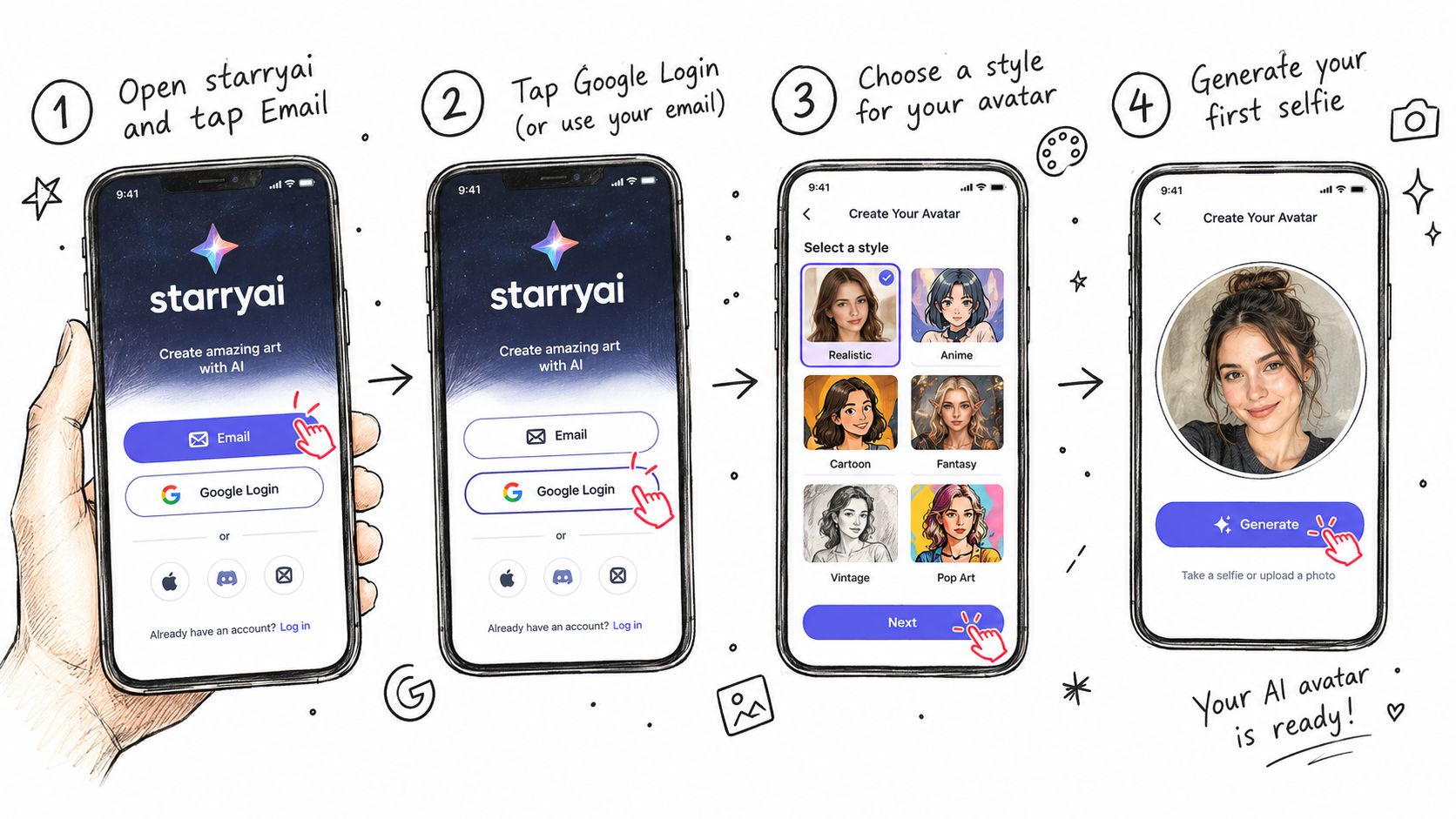
Ein nützlicher erster Prompt ist:close-up portrait of me, warm window light, natural skin texture, calm direct gaze, polished editorial photography. Er gibt dem System ein Motiv, Licht, Textur, Stimmung und ein Finish, ohne zu viele konkurrierende Ideen zu erzwingen.
Der Zähler für die kostenlosen Credits sollte in der Erstellungsoberfläche oder im Kontobereich angezeigt werden. Die Generierungszeit variiert je nach Nachfrage und ausgewählten Einstellungen. Nutzen Sie daher die Wartezeit, um den nächsten Prompt vorzubereiten, anstatt wiederholt auf Generieren zu tippen. Wenn das Bild fertig ist, überprüfen Sie die Galerie auf das fertige Ergebnis und untersuchen Sie Augen, Zähne, Haaransatz, Hautstruktur und Hintergrundkanten, bevor Sie es herunterladen.
Für umfassendere Vergleiche von Creator-Tools könnendie Empfehlungen für KI-Tools von GainstyIhnen helfen, die Bildgenerierung mit den anderen Werkzeugen in einem Publishing-Workflow zu vergleichen. Eine detailliertere Einführung in die App selbst finden Sie inder Schnellstartanleitung von starryai.
Wenn das erste Ergebnis nah dran ist, verwenden Sie dieNeu-Würfeln-Schaltflächen, anstatt das gesamte Projekt neu zu erstellen. Ein erneutes Würfeln kann die allgemeine Richtung beibehalten und gleichzeitig Gesichtsartefakte oder die Komposition verändern. Nutzen Siedie Upscaling-Optionerst, wenn Gesicht und Hintergrund bereits überzeugend wirken. Das Hochskalieren eines fehlerhaften Porträts liefert Ihnen nur ein größeres fehlerhaftes Porträt.
„Cooles Porträt von mir“ gibt einem Bildmodell fast nichts, womit es arbeiten kann. Es legt nicht fest, wie die Kamera Sie sieht, woher das Licht kommt, welche Stimmung Sie sich wünschen oder wie realistisch die Haut aussehen soll. Das Ergebnis wirkt oft flach, plastisch oder losgelöst vom Selfie.
Ersetzen Sie breite Adjektive durch konkrete visuelle Anweisungen:
Ein stärkerer Prompt folgt einer stabilen Reihenfolge:
close-up portrait of me, 85mm portrait lens, golden hour rim light, natural skin texture with visible pores, calm direct gaze, editorial photography
Diese Reihenfolge hält das Motiv an erster Stelle, steuert dann die Kamera, das Licht, die Oberflächendetails, die Stimmung und den finalen Stil. Kostenlose Generierungen verzeihen weniger Fehler, wenn Sie mit begrenzter Abtastung oder einem kleinen Credit-Guthaben arbeiten, sodass jede Phrase eine spezifische Aufgabe erfüllen sollte.
Der schnellste Weg, einen schwachen Prompt zu verbessern, besteht darin, das sichtbare Problem zu diagnostizieren.
| Schwaches Ergebnis | Prompt-Anpassung |
|---|---|
| Wachsartige Haut | Füge „natürliche Hautstruktur, sichtbare Poren“ hinzu |
| Flaches Licht | Füge „weiches Seitenlicht von einem Fenster“ hinzu |
| Generisches Gesicht | Füge „Gesichtsstruktur und Identität erhalten“ hinzu |
| Unruhiger Hintergrund | Füge „einfachen neutralen Studiohintergrund“ hinzu |
| Künstliche Augen | Füge „natürliche Pupillen, entspannter Ausdruck“ hinzu |
Nutze das Feld für negative Prompts von starryai, um die Mängel zu entfernen, die ein Selfie am ehesten unnatürlich wirken lassen. Beginne mitwaxy skin, blurry, deformed eyes, anstatt das Feld mit einer langen Liste vollzustopfen. Ein oder zwei gezielte negative Prompts sind meistens besser als fünf zusätzliche positive Beschreibungen, da sie den konkreten Fehler, den du siehst, direkt blockieren.
Die Forschung zur KI-Porträterkennung hat ergeben, von Laien als von Menschen erstellt identifiziert wurden (in weniger als30 % der Fälle (unabhängige Bewertung der Porträterkennung). Natürliche Beleuchtung, glaubwürdige Hautstruktur, konsistente Pupillen und Zähne sowie zurückhaltende Geometrieänderungen sind wichtiger als das Anhäufen von Begriffen im Kinostil.
Kostenlose Selfie-Tools schränken normalerweise drei Dinge ein:Credits, Auflösung und Regenerationshäufigkeit. Einige Dienste dokumentieren3 Generierungen pro Tag ohne Konto, während ein anderes getestetes Tool seinen Modus für hohe Details auf2 Bilder pro Tagbegrenzt, wobei kostenlose Downloads auf1K-Auflösunglimitiert sind und höhere Auflösungen kostenpflichtigen Tarifen vorbehalten sind (getestete Limits kostenloser Tools).
Der Vergleich sieht so aus:
| App | Tägliche kostenlose Credits | Maximale Auflösung | Modellzugriff |
|---|---|---|---|
| starryai | Kostenlose tägliche Credits | Nutzenbare Auflösung für Social-Media-Beiträge | Ausgewählte kostenlose Modelle |
| Generatoren ohne Konto | 3 Generierungen pro Tag bei einigen Diensten | Variiert je nach Dienst | Normalerweise eingeschränkt |
| Kostenlose Modi für hohe Details | 2 Bilder pro Tag bei einem getesteten Dienst | 1K kostenlos, 2K bei kostenpflichtigen Tarifen | Modus für hohe Details eingeschränkt |
| Andere kostenlose Apps | Kontingent variiert | Häufig eingeschränkt | Fortgeschrittene Modelle sind möglicherweise kostenpflichtig |
Diese Limits machen nur dann einen Unterschied, wenn du den falschen Arbeitsablauf verwendest. Gib nicht deine Credits aus, indem du ein Adjektiv nach dem anderen änderst. Schreibe das Motiv, die Beleuchtung, die Textur und den Stil auf, bevor du generierst, und spare das Experimentieren für eine Charge auf, wenn du genug Credits hast, um die Ergebnisse richtig zu vergleichen.
starryai mildert das Kontingentproblem, indem die kostenlose tägliche Nutzung Teil des Erstellungsworkflows ist und ungenutzte Credits übertragen werden können, sodass eine ruhigere Woche eine größere Charge später unterstützen kann. Das genaue Guthaben in deinem Konto ist wichtiger als ein allgemeines Versprechen, da sich Tarife und Oberflächenlimits ändern können.
Für einen Start ohne Kreditkarte,Die Erklärung zur kostenlosen Nutzung von starryaiist die relevante Referenz. Nutzen Sie die kostenlose Version, um einen wiederholbaren Prompt zu etablieren, statt in einer Sitzung jedem Trend hinterherzulaufen.
Der Download mag kostenlos sein.Ihr Gesicht ist es nicht.
Ein Selfie ist eine biometrisch identifizierbare Eingabe, und Datenschutzbestimmungen können einer App umfassende Rechte in Bezug auf Uploads, generierte Bilder, Speicherung, das Training von KI oder die Weitergabe an Partnerunternehmen einräumen. Eine Untersuchung beliebter KI-Foto-Apps ergab, dass1 von 4 von 20 Apps Gesichtsdaten nach der Bilderstellung speicherte (Datenschutzberichterstattung über KI-Selfie-Apps). Aus diesem Grund sollten sich „keine Registrierung“ und „kostenlose Generierungen“ nicht automatisch sicherer anfühlen.
Gehen Sie vor dem Hochladen diese Checkliste in zwei Minuten durch:
Angaben zur Speicherdauer können inkonsistent sein. In den FAQ eines Produkts wurde eine Löschung innerhalb von7 Tagenangegeben, während an anderer Stelle derselben Seite von1 Tagdie Rede war, und einige Tools veröffentlichen überhaupt keine klare Aufbewahrungsrichtlinie (Vergleich der Aufbewahrungsrichtlinien). Betrachten Sie unklare Formulierungen als Risiko und nicht als implizites Versprechen einer Löschung.
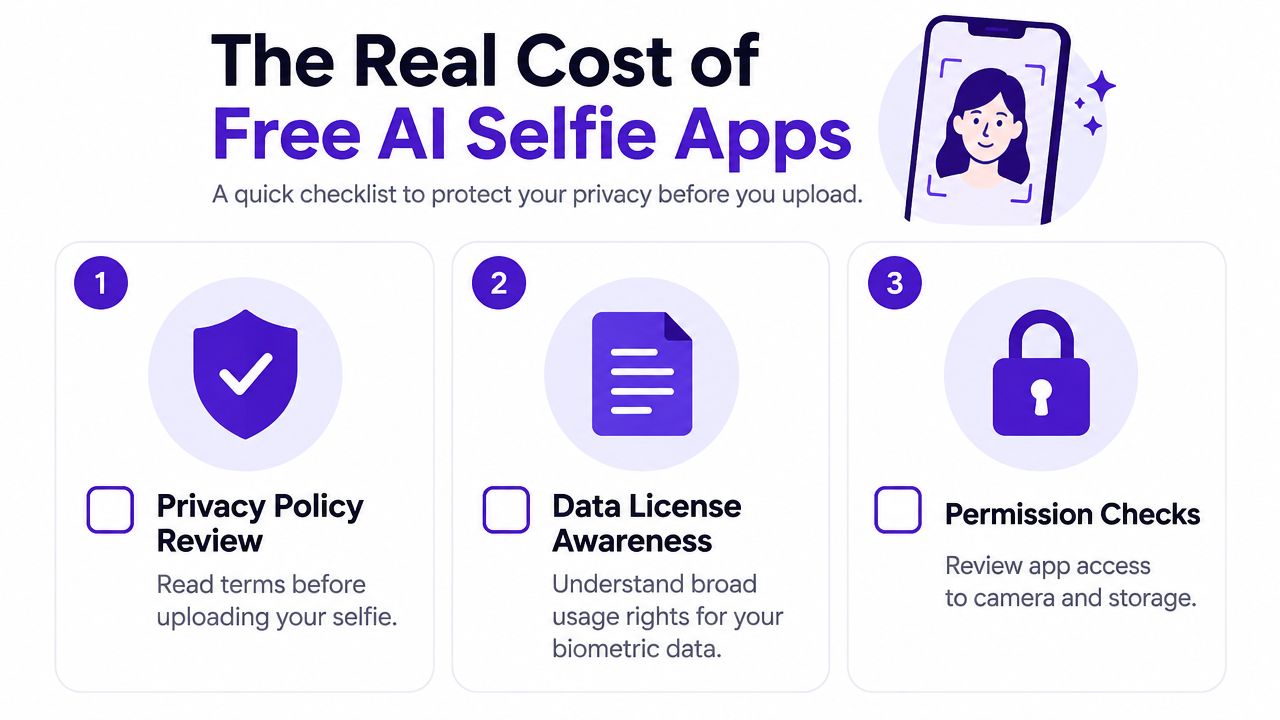
starryai gibt an, dass Urheber das Eigentum behalten, und bietet Wege zur Löschung an, was es zu einer brauchablen Option für einen auf Gesichtern basierenden Erstellungs-Workflow macht. Dennoch sollten Sie die aktuelle Richtlinie vor dem Hochladen lesen, insbesondere wenn Sie Bilder für Kunden, Kinder oder kommerzielle Kampagnen erstellen.
Die erfolgreichsten Prompts folgen einer von drei Strukturen. Halten Sie die Struktur stabil und tauschen Sie dann die Substantive, die Umgebung und die visuelle Referenz aus.
Verwenden Sie:
[subject descriptor] + [lens and lighting cue] + [skin detail] + [mood]
Beispiel:close-up portrait, 85mm lens, golden hour rim light, natural skin texture, calm direct gaze
Diese Formel funktioniert, weil sie das Gesicht, das Kameragefühl, das Licht, die Oberflächendetails und die emotionale Wirkung steuert, ohne das Modell in einen unübersichtlichen Stil-Brei zu zwingen.
Verwenden Sie:
[visual reference] + [subject] + [setting] + [era marker]
Beispiel:2003 digicam flash aesthetic, young creator, bedroom mirror, soft grain
Die visuelle Referenz verleiht dem Bild seine erkennbare Trend-Sprache. Die Kulisse hält es persönlich, während die Epochenmarkierung dabei hilft, Farbe, Blitzverhalten und Textur zu formen.
Verwenden Sie:
[archetype] + [outfit] + [environment] + [camera feel]
Beispiel:cyberpunk courier, reflective visor, neon alley, handheld 35mm
Dies ist besonders nützlich für Gamer, Autoren, Tabletop-Spieler und Kreative, die eher ein wiederholbares Alter Ego als ein realistisches Profilporträt aufbauen möchten.
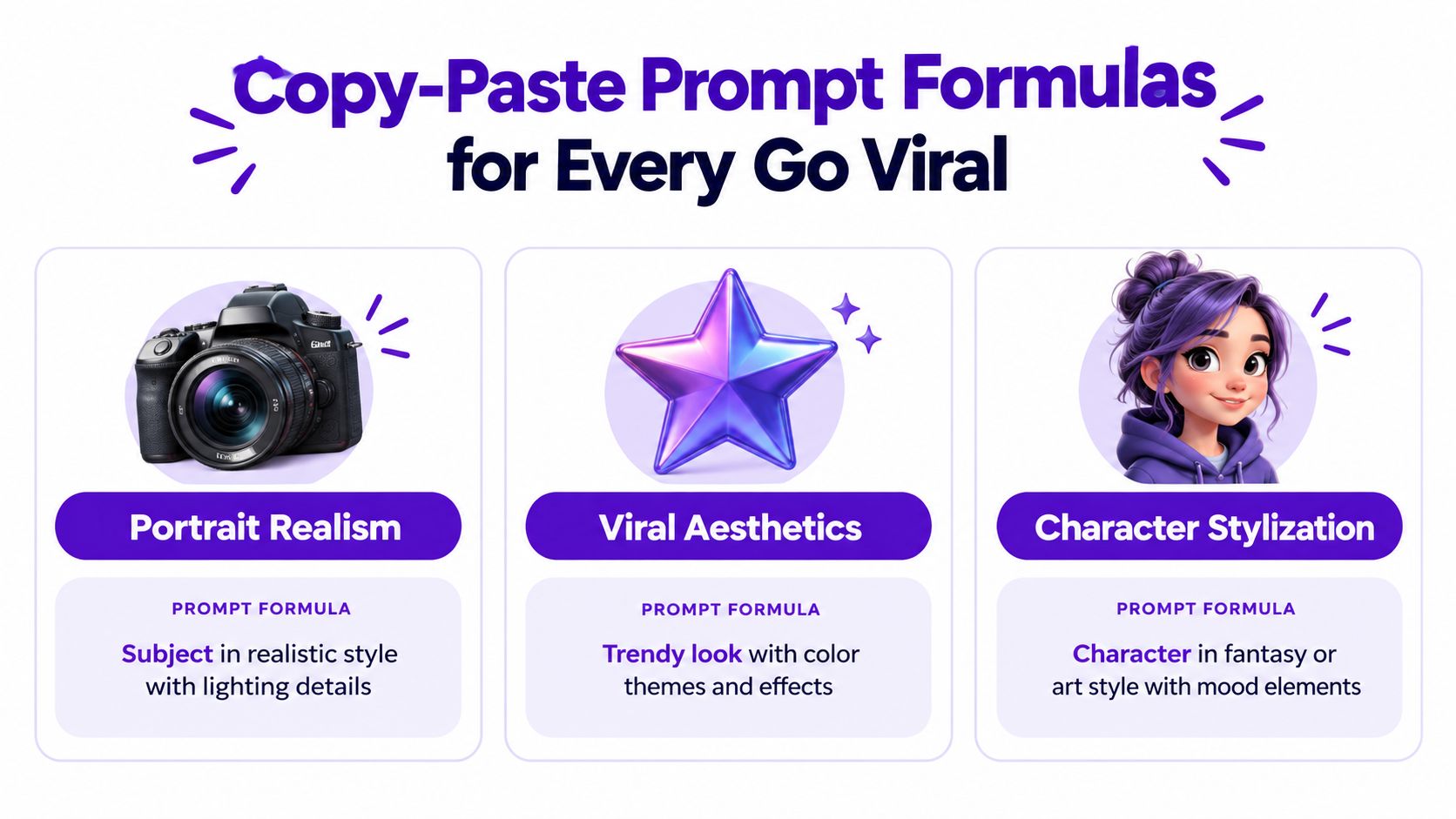
Kopieren Sie diese wiederverwendbare Vorlage:
[framing], [subject age and vibe], [lighting], [one texture cue], [one mood word], shot on [camera/lens]
Probieren Sie diese drei ausgearbeiteten Versionen aus:
three-quarter portrait, young creator with relaxed confidence, soft window light, natural skin texture, approachable, shot on an 85mm portrait lenswaist-up portrait, playful retro creator, direct on-camera flash, subtle film grain, mischievous, shot on a compact digital camerafull-body character portrait, curious fantasy cartographer, blue lantern light, worn leather texture, adventurous, shot on a handheld 35mm lensFügen Sie bei Bedarf einen kompakten negativen Prompt hinzu:blurry, extra fingers, deformed eyes. Er hält häufige Mängel fern, ohne eine weitere Generierung zu verbrauchen.
Für weitere Varianten und strukturierte Beispiele nutzen Sie denstarryai Leitfaden für KI-Bild-Prompts.
Die Entscheidungsregel ist einfach. Wählen Sie ein Tool erst aus, wenn Sie dessen Datenschutzrichtlinie gelesen, überprüft haben, ob das Kontingent zu Ihrem wöchentlichen Posting-Volumen passt, und das Modell auf den gewünschten Look getestet haben. Ein Tool kann exzellente Porträts liefern und dennoch Ihren Workflow ruinieren, wenn es Uploads unklar speichert oder Sie nach jedem kleinen Experiment auf das Zurücksetzen der Credits warten lässt.
Führen Sie ein Upgrade durch, wenn eine kostenpflichtige Funktion ein wiederkehrendes Problem löst. Eine höhere Auflösung ist sinnvoll, wenn Ihre Inhalte wiederholt größere Assets erfordern. Mehr Credits sind sinnvoll, wenn Sie bereits über einen funktionierenden Prompt verfügen und eine zuverlässige Batch-Produktion benötigen. Zusätzliche Modelle sind sinnvoll, wenn die kostenlose Auswahl konsequent an Ihrer visuellen Identität vorbeigeht. Führen Sie kein Upgrade durch, nur weil Sie von einer Benachrichtigung unter Druck gesetzt werden.
Führen Sie heute Abend dieses Experiment durch:
Zehn Variationen lehren Sie mehr als zehn zusammenhanglose Prompts, da Sie ein kontrolliertes System testen. Vergleichen Sie die Augen, die Hautstruktur, die Beleuchtungsrichtung, die Hintergrundkanten und die Erkennbarkeit, bevor Sie das ausgereifteste Bild auswählen.
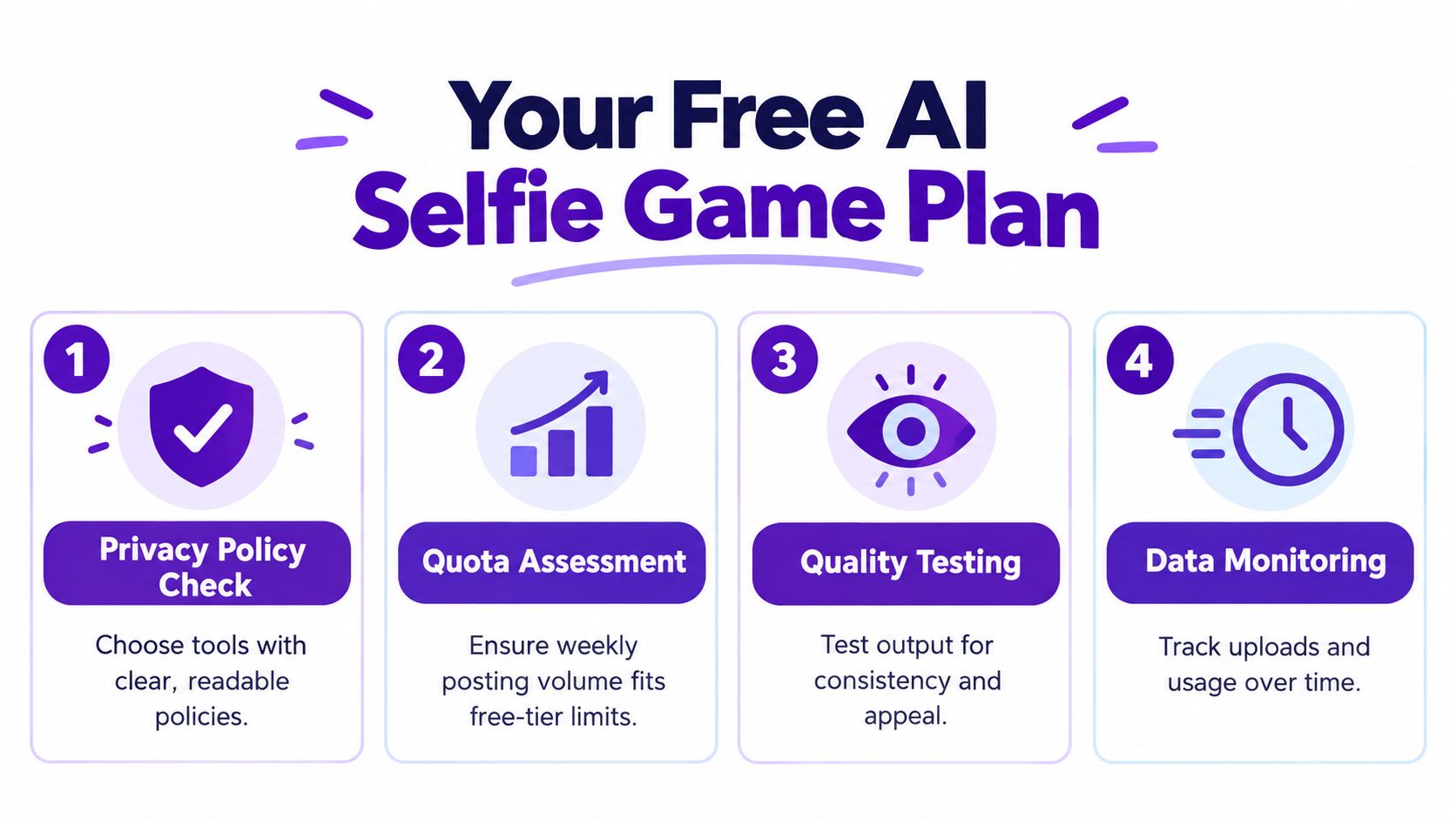
Führen Sie einen Monat lang ein kleines Prompt-Protokoll. Verfolgen Sie, welche Stile erkennbar bleiben, welche Einstellungen reproduzierbare Hintergründe erzeugen, wie schnell Ihr kostenloses Kontingent verschwindet und was gemäß den Richtlinien des Tools mit hochgeladenen Dateien passiert. Das macht die kostenlose Nutzung zu einem kontinuierlichen Arbeitsablauf anstelle einer Reihe unzusammenhängender Trendversuche.
starryai ermöglicht es Ihnen, ein Selfie oder einen Text-Prompt in gestylte Portraits, Avatare und für soziale Medien geeignete visuelle Konzepte zu verwandeln, während Sie kostenlose tägliche Credits nutzen, um den Workflow zu testen. Beginnen Sie mit einem klaren Selfie, probieren Sie das obige Prompt-Experiment aus und besuchen Siestarryai, um einen reproduzierbaren KI-Selfie-Workflow aufzubauen, bevor Sie sich festlegen, bevor sich die kostenlose Erfahrung als nützlich erweist.


.svg)