

Written by Mo Kahn on
September 24, 2026


You've got a folder full of selfies, a trend taking over TikTok, and one evening to make something that looks intentional rather than obviously synthetic. After opening app after app, you discover that “free” can mean a low-resolution preview, a handful of credits, a watermark, or a privacy policy you didn't read closely enough.
The useful question isn't which AI selfie app produces the flashiest demo. It's whether the tool protects your face after upload and gives you enough capacity to survive an actual posting schedule. This guide focuses on that workflow, with practical prompts, realistic limits, and a closer look at what AI selfie free tools really cost.
A creator can spend an entire night testing tools and still end up with only a few usable images. The demos look generous, but the free experience usually comes down to basic style changes, capped credits, limited resolution, and occasional watermarks. Some free plans also restrict commercial use, so a portrait that works for a personal profile might not be cleared for merchandise, advertising, or a client campaign.
Free generation works best when you treat the result as a starting asset, not a finished brand campaign. You can usually create one of three useful image types:
The first two categories are the most practical for regular creators. With practice, starryai's free daily credits can support clean portraits and stylized avatars, while trend-heavy experimentation tends to consume credits faster because you'll reject more images.
Practical rule: If you wouldn't publish the result without retouching the face, correcting the hands, and checking the background, it isn't a finished asset.
Model choice matters, but your input set matters more. Research comparing DreamBooth and InstantID found broadly similar output quality across identity preservation, facial detail clarity, perceived edit level, and background quality, making selfie selection and prompt control central to the workflow (the portrait-generation evaluation). Start with a small set of clear, recent selfies, then change one visual variable at a time.
The two filters that decide whether a free tool works beyond one exciting night are face-data handling and quota survival. A beautiful app that keeps your biometric data indefinitely is a poor bargain, and a generous-looking app that runs out before your weekly content batch won't support a real creator workflow.
Start at the starryai sign-up screen. Choose email or Google login, and continue without entering a card. The free workflow should be enough to produce a first test image, so don't upload a full library of personal photos before you understand the result and the app's settings.
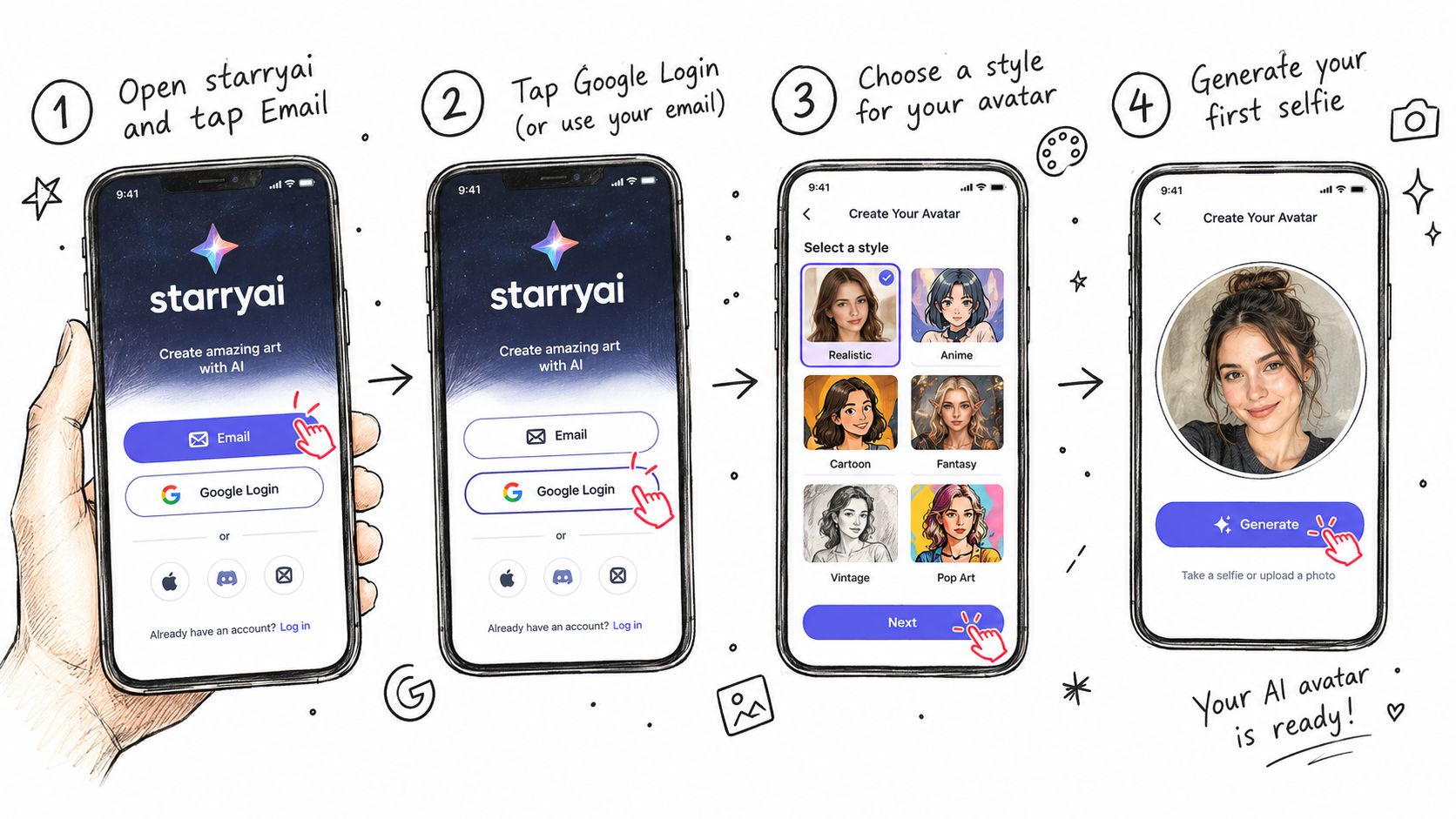
A useful first prompt is: close-up portrait of me, warm window light, natural skin texture, calm direct gaze, polished editorial photography. It gives the system a subject, light, texture, mood, and finish without forcing too many competing ideas.
The free credits counter should appear in the creation interface or account area. Generation time varies with demand and selected settings, so use the waiting period to prepare the next prompt rather than repeatedly tapping generate. When the image finishes, check the gallery for the completed result and inspect the eyes, teeth, hairline, skin texture, and background edges before downloading.
For broader creator-tool comparisons, Gainsty's AI tool recommendations can help you compare image generation with the other tools in a publishing workflow. For a more detailed introduction to the app itself, follow starryai's quick-start guide.
If the first result is close, use the re-roll buttons instead of rebuilding the whole project. One re-roll can preserve the general direction while changing facial artifacts or composition. Use the upscale option only after the face and background already look convincing. Upscaling a flawed portrait gives you a larger flawed portrait.
“Cool portrait of me” gives an image model almost nothing to work with. It doesn't specify how the camera sees you, where the light comes from, what mood you want, or how realistic the skin should look. The result often feels flat, plastic, or disconnected from the selfie.
Replace broad adjectives with concrete visual instructions:
A stronger prompt follows a stable order:
close-up portrait of me, 85mm portrait lens, golden hour rim light, natural skin texture with visible pores, calm direct gaze, editorial photography
That order keeps the subject first, then controls the camera, light, surface detail, mood, and final style. Free generations are less forgiving when you're working with limited sampling or a small credit balance, so every phrase should do a specific job.
The fastest way to improve a weak prompt is to diagnose the visible problem.
| Weak result | Prompt adjustment |
|---|---|
| Waxy skin | Add “natural skin texture, visible pores” |
| Flat lighting | Add “soft side light from a window” |
| Generic face | Add “preserve facial structure and identity” |
| Busy background | Add “simple neutral studio background” |
| Artificial eyes | Add “natural pupils, relaxed expression” |
Use starryai's negative prompt field to remove the defects most likely to make a selfie look uncanny. Start with waxy skin, blurry, deformed eyes rather than stuffing the field with a long list. One or two targeted negatives usually outperform five additional positive descriptors because they directly block the failure you're seeing.
AI portrait detection research found that non-expert users misidentified AI images as human-created in fewer than 30% of cases (independent portrait-detection evaluation). Natural lighting, believable skin texture, consistent pupils and teeth, and restrained geometry changes matter more than piling on cinematic style terms.
Free selfie tools usually restrict three things: credits, resolution, and regeneration frequency. Some services document 3 generations per day without an account, while another tested tool limits its high-detail mode to 2 images per day, with free downloads capped at 1K resolution and higher resolution reserved for paid plans (tested free-tool limits).
The comparison looks like this:
| App | Daily Free Credits | Max Resolution | Model Access |
|---|---|---|---|
| starryai | Free daily credits | Usable resolution for social posts | Selected free models |
| No-account generators | 3 generations per day on some services | Varies by service | Usually limited |
| High-detail free modes | 2 images per day in one tested service | 1K free, 2K on paid plans | High-detail mode capped |
| Other free apps | Quota varies | Often restricted | Advanced models may be paid |
These limits make a difference only if you use the wrong workflow. Don't spend credits changing one adjective at a time. Write the subject, lighting, texture, and style before generating, then save experimentation for a batch when you have enough credits to compare results properly.
starryai softens the quota problem by making free daily use part of the creation workflow, and unused credits can roll over, so a lighter week can support a heavier batch later. The exact balance shown in your account matters more than a generic promise, because plans and interface limits can change.
For a no-card starting point, starryai's free-use explanation is the relevant reference. Use the free tier to establish a repeatable prompt, not to chase every trend in one sitting.
The download may be free. Your face is not.
A selfie is a biometric-identifying input, and privacy terms can give an app broad rights over uploads, generated images, retention, training reuse, or sharing with affiliated parties. Coverage of popular AI photo apps found that 1 in 4 of 20 apps stored facial data after image creation (privacy coverage of AI selfie apps). That's why “no sign-up” and “free generations” shouldn't automatically feel safer.
Before uploading, spend two minutes on this checklist:
Retention disclosures can be inconsistent. One product FAQ reported deletion within 7 days, while another part of the same page said 1 day, and some tools publish no clear retention policy at all (retention-policy comparison). Treat unclear wording as a risk, not as an implied deletion promise.
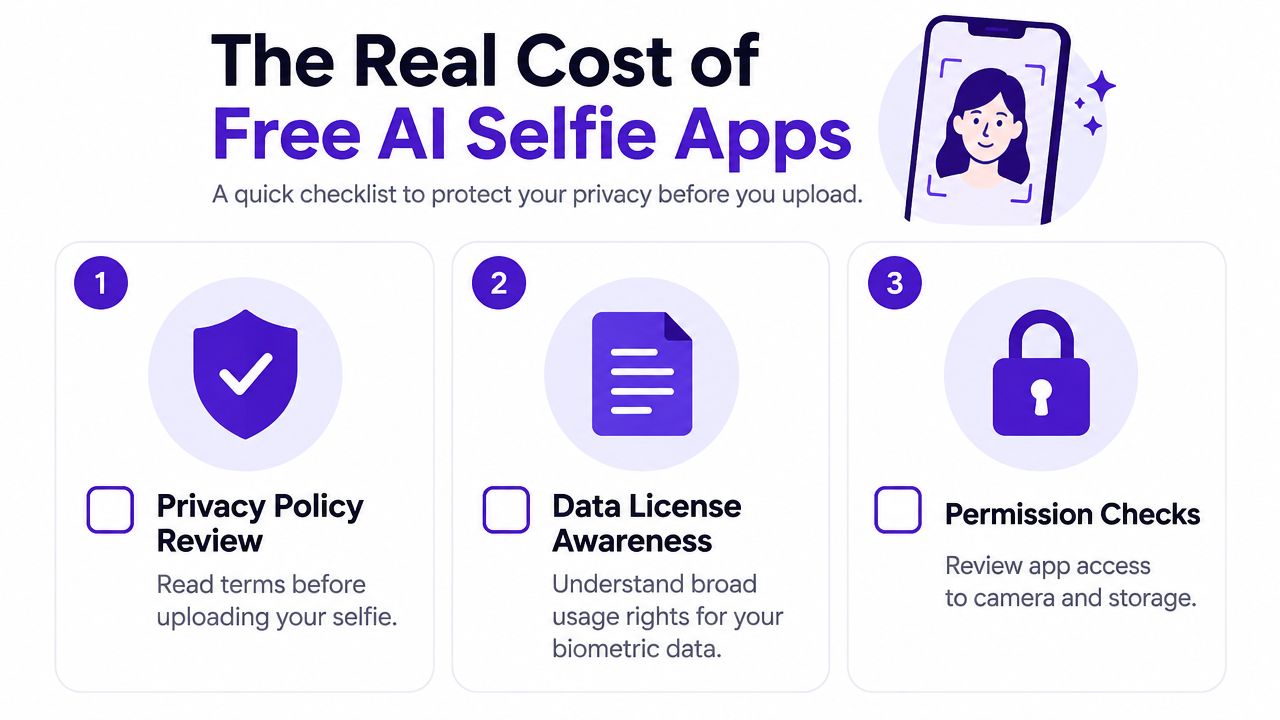
starryai states that creators retain ownership and provides deletion paths, which makes it a workable option for a face-based creation workflow. You should still read the current policy before uploading, especially if you're creating images for clients, children, or commercial campaigns.
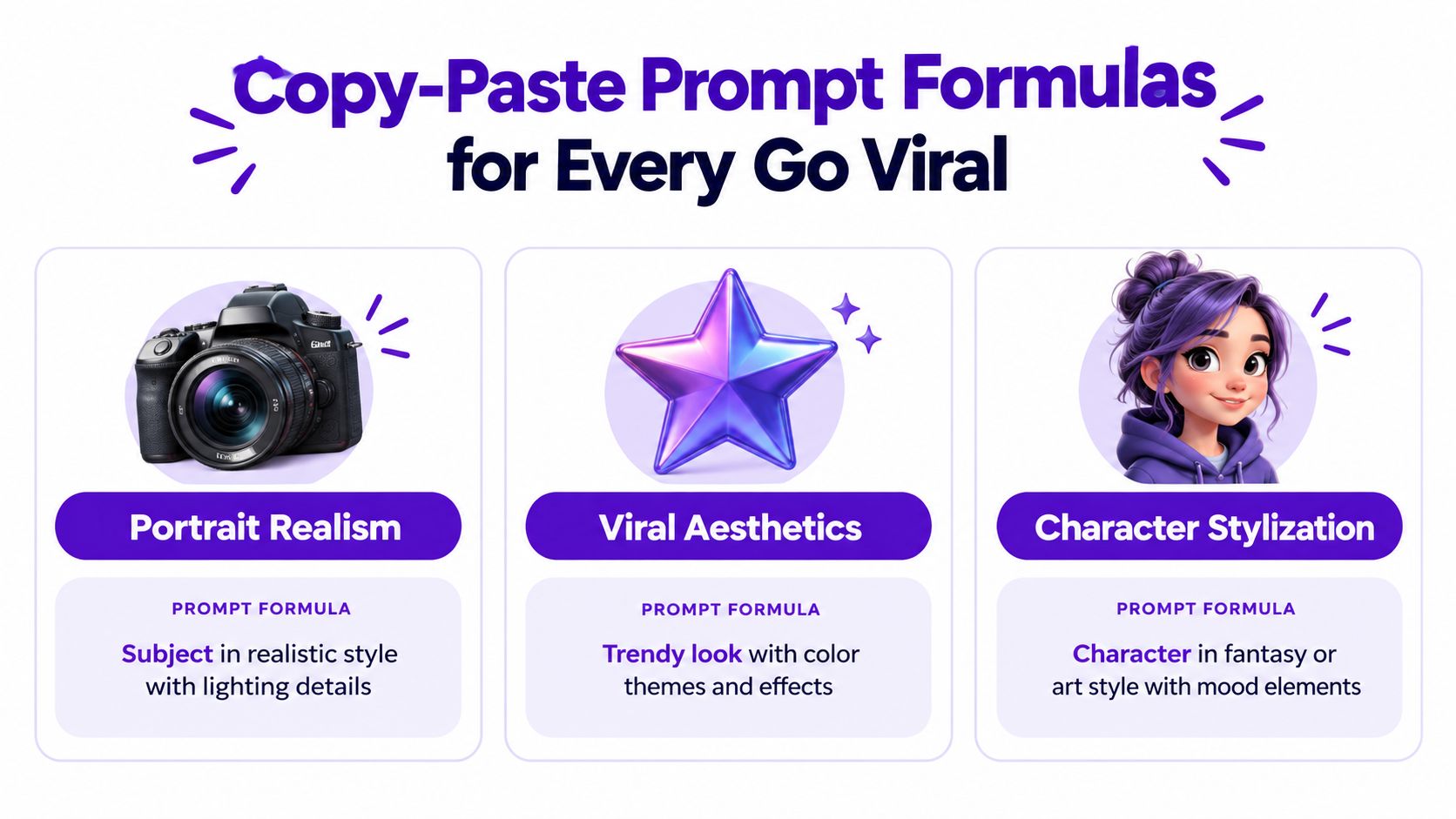
Most successful prompts fit one of three structures. Keep the structure stable, then swap the nouns, setting, and visual reference.
Use:
[subject descriptor] + [lens and lighting cue] + [skin detail] + [mood]
Example: close-up portrait, 85mm lens, golden hour rim light, natural skin texture, calm direct gaze
This formula works because it controls the face, camera feel, light, surface detail, and emotional read without forcing the model into a crowded style soup.
Use:
[visual reference] + [subject] + [setting] + [era marker]
Example: 2003 digicam flash aesthetic, young creator, bedroom mirror, soft grain
The visual reference gives the image its recognizable trend language. The setting keeps it personal, while the era marker helps shape color, flash behavior, and texture.
Use:
[archetype] + [outfit] + [environment] + [camera feel]
Example: cyberpunk courier, reflective visor, neon alley, handheld 35mm
This is especially useful for gamers, authors, tabletop players, and creators building a repeatable persona rather than a realistic profile portrait.
Copy this reusable template:
[framing], [subject age and vibe], [lighting], [one texture cue], [one mood word], shot on [camera/lens]
Try these three worked versions:
three-quarter portrait, young creator with relaxed confidence, soft window light, natural skin texture, approachable, shot on an 85mm portrait lenswaist-up portrait, playful retro creator, direct on-camera flash, subtle film grain, mischievous, shot on a compact digital camerafull-body character portrait, curious fantasy cartographer, blue lantern light, worn leather texture, adventurous, shot on a handheld 35mm lensAdd a compact negative prompt when needed: blurry, extra fingers, deformed eyes. It keeps common defects out without consuming another generation.
For more variations and structured examples, use starryai's AI image prompt guide.
The decision rule is simple. Choose a tool only after you've read its privacy policy, checked that its quota matches your weekly posting volume, and tested the model on the look you want. A tool can produce excellent portraits and still fail your workflow if it stores uploads unclearly or makes you wait for the next credit reset after every small experiment.
Upgrade when a paid feature solves a recurring problem. Higher resolution makes sense when your content repeatedly needs larger assets. More credits make sense when you already have a prompt that works and need reliable batch production. Extra models make sense when the free selection consistently misses your visual identity. Don't upgrade because a notification is pressuring you.
Run this experiment tonight:
Ten variations will teach you more than ten unrelated prompts because you'll be testing a controlled system. Compare the eyes, skin texture, lighting direction, background edges, and recognizability before choosing the most polished image.
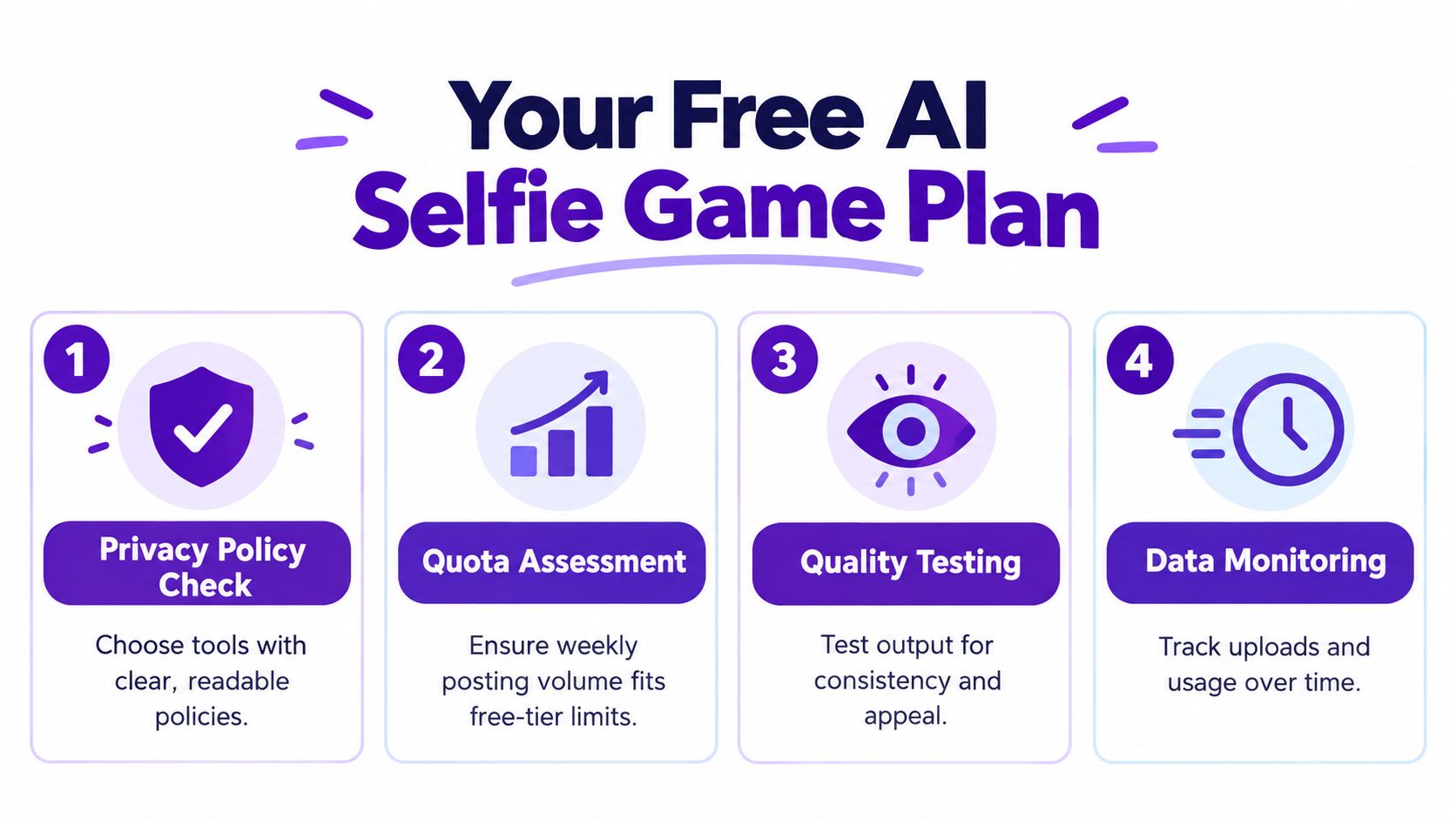
Keep a small prompt log for a month. Track which styles remain recognizable, which settings produce repeatable backgrounds, how quickly your free quota disappears, and what happens to uploaded files under the tool's policy. That turns free use into a compounding workflow instead of a series of disconnected trend attempts.
starryai lets you turn a selfie or text prompt into styled portraits, avatars, and social-ready visual concepts while using free daily credits to test the workflow. Start with one clear selfie, try the prompt experiment above, and visit starryai to build a repeatable AI selfie workflow without committing before the free experience proves useful.


.svg)