

Written by Mo Kahn on


You've made a mascot that looks great on your screen. Then you print it on a tee, hold it at arm's length, and discover that the eyes disappear into the face. The illustration isn't necessarily bad. You've just polished it before checking whether it works where customers will see it.
Cartoon character creation works better when you treat the character as a reusable brand asset, not a finished portrait. Establish its identity, test its outline, and document its origins before investing in texture, lighting, or elaborate costumes.
Use a sequence with clear approval gates. Each stage should produce something you can inspect, not just another attractive image.
Eight stages of the cartoon character workflow
| Stage | Main output | Gate before moving on |
|---|---|---|
| 1. Define the brief | One-page brief with purpose, personality, audience and brand limits | Purpose fits in one sentence |
| 2. Build the character bible | Fixed and flexible trait rules | Every trait is marked fixed or flexible |
| 3. Thumbnail explorations | Small shape-based sketches exploring different outlines | Three to five finalists chosen |
| 4. Silhouette test | Solid-black versions of the finalists | Pose and personality read without color |
| 5. Model sheet | Front, side, three-quarter views, expressions, key poses | Sheet approved by the creator or client |
| 6. Variants and palette tests | Batches with identical pose, one changed variable each | Winning palette and variant chosen |
| 7. Merch and cover refinement | Files tested at small sizes and in grayscale | Face and outline survive every target size |
| 8. Provenance check | Asset log and originality review | Log is complete and no third-party elements remain |
A gate has a yes-or-no answer. If the silhouette needs the scarf's color to look recognizable, it hasn't passed. If the side view contradicts the front view, the model sheet isn't ready for approval.
Keep the table beside your working files and check it before requesting another batch or commissioning final artwork. This prevents expensive fixes, such as redrawing every expression after discovering that the eyes sit too close together.
Educational Voice's character-design guidance places the brief, shape exploration, silhouette testing, and model sheet before storyboard and production specifications. That order matters because downstream work multiplies whatever decisions you approve early.
Practical rule: Don't use a beautiful render to excuse an unresolved design.
For a quick social avatar, compress the written brief and bible into a working page, and limit the model sheet to the views and expressions you'll use in practice. You can also combine palette selection with small-size refinement. Never remove the silhouette test.
For anything sold commercially, never skip the provenance check. Start collecting records during creation rather than trying to reconstruct them after the artwork is ready.
A useful purpose sentence might be: create a calm bedtime companion for children aged 4 to 7, appearing first on a picture book cover. This hypothetical brief identifies the audience, emotional job, and placement before anyone chooses a drawing style.
Complete the brief in this order:
A bedtime character needs a different expression range from a competitive gaming avatar. Neither should be judged only by whether the initial portrait looks cute.
The character bible tells you what must remain stable when the character changes pose, setting, or format. Davis Wright Tremaine's analysis of character protection discusses recognizability through delineated physical and conceptual qualities, consistent identifiable traits, and distinctive elements. Those are useful design considerations, not a guarantee of legal protection.
Use this example rulebook as a starting point.
Fixed and flexible traits in a character bible
| Trait | Fixed or flexible | Rule for this character |
|---|---|---|
| Silhouette | Fixed | Outline reads as the same shape in every output |
| Face geometry | Fixed | Eye spacing and head shape stay within the approved sheet |
| Core palette | Fixed | Up to three signature colors; seasonal swaps need approval |
| Signature prop | Fixed | Always present in brand and cover art |
| Clothing rules | Fixed or flexible | Brand outfit fixed; seasonal layers flexible |
| Pose | Flexible | Any pose that keeps the silhouette readable |
| Expression | Flexible | Expressions taken from the approved model sheet |
| Lighting and background | Flexible | Any setup that keeps the face visible |
| Age | Flexible | Only with a written age-up or age-down rule |
| Seasonal styling | Flexible | Costume changes allowed; face and proportion changes not allowed |
Attach approved reference images, including a close-up and a full-body view. Write prohibitions plainly: no pointed ears, no narrow muzzle, no replacement of the signature scarf with a necklace.
Flexible doesn't mean arbitrary. An older version still needs a defined relationship to the original face, while a winter coat must leave enough of the identifying outline visible.
Which traits must stay unchanged for audiences to recognize the same character, and which can evolve without breaking continuity?
If the bible can't answer that question, it's incomplete. A bible without prohibited changes may appear adequate for the first image, then allow noticeable drift by the tenth.
Start in a drawing app such as Procreate, Krita, or Photoshop with a plain brush and no texture. Work small enough that you can judge the whole figure without zooming.
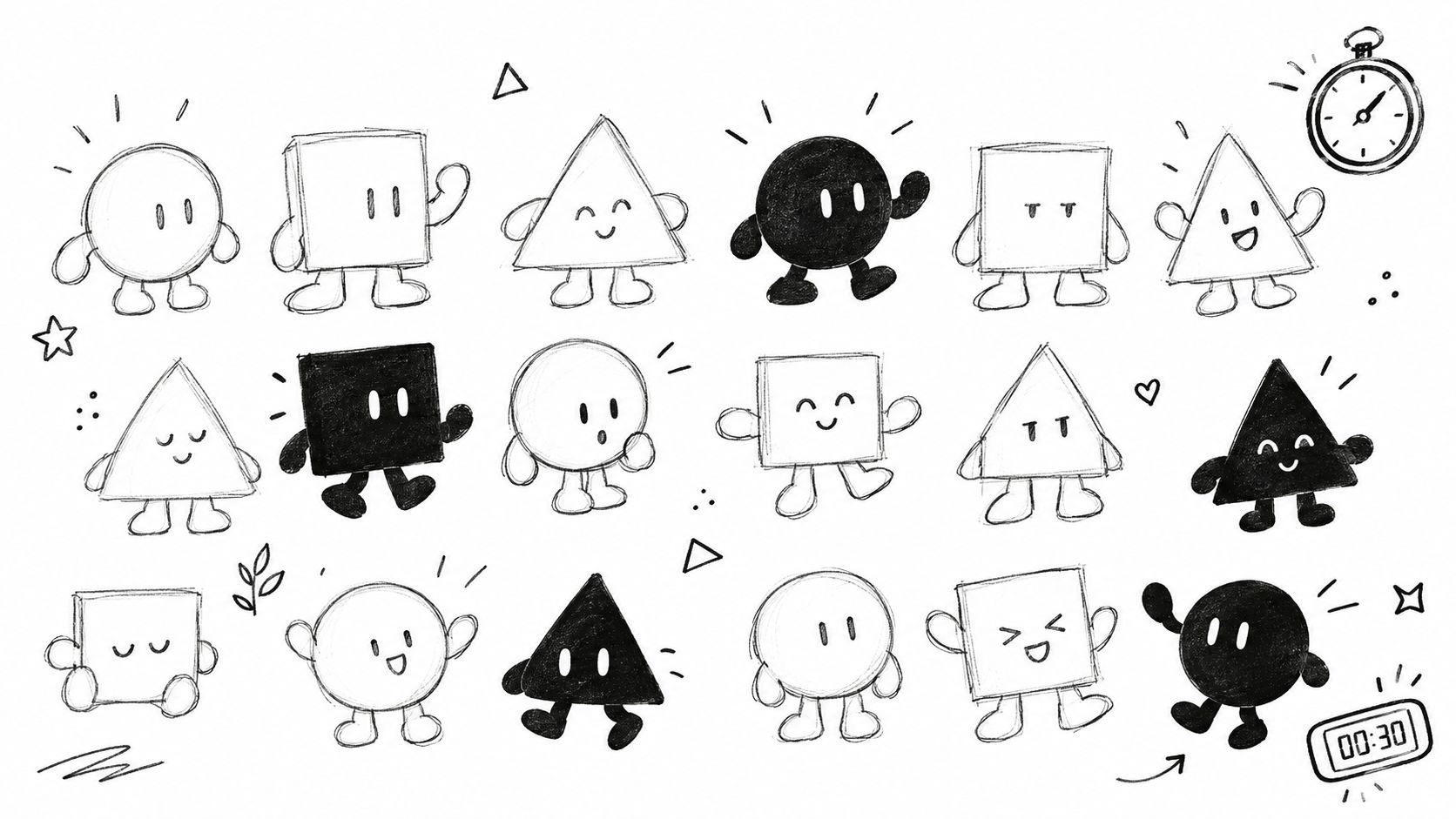
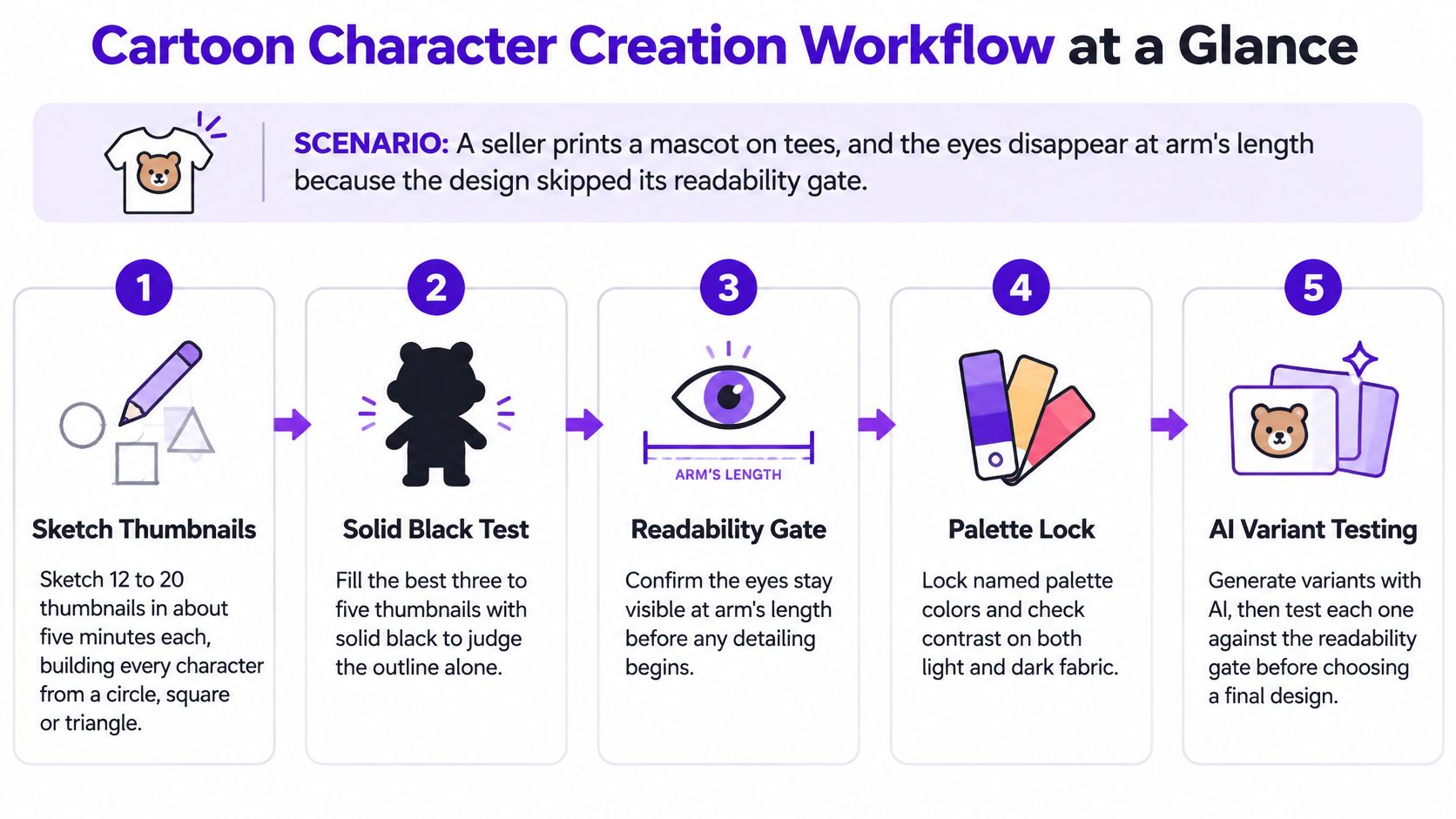
Sketch shape-based thumbnails. As a practical exercise, draw 12 to 20 thumbnails, spending about five minutes on each, and build every figure around a circle, square, or triangle. Change the distribution of mass, not just the hairstyle, so you explore genuinely different characters.
Fill the finalists with solid black. Keep three to five candidates and remove their internal detail. Ask whether the pose and intended attitude remain readable; separate an arm from the torso or widen a stance when those features merge.
Check the head proportions. A study of cartoon character modeling for children published through Atlantis Press found heads approximating a circle, with a head aspect ratio between 0.9 and 1.1 in 62% of the cases analyzed. That's a starting range for this kind of character, not a rule for every audience or style.
Test exaggeration and volume. Apply Johnston and Thomas's principles, especially exaggeration, squash and stretch, and solid drawing, as described in LSU's animation teaching materials. Push the defining feature deliberately, then check that the skull, torso, and limbs still make sense when turned.
Try a movement test. Draw a quick sequence showing a start, a change of direction, and a stop. Carnegie Mellon's computer-animation materials explain how speed conveys mass and personality: a compact, energetic character can accelerate quickly, while a heavy or large character needs slower starts and stops.
Build the model sheet. Draw front, side, and three-quarter views, then add expressions and key poses. Align the eyes, shoulders, hips, and feet with guides so the design doesn't change size or anatomy between views.
Mark each criterion pass or revise: recognizable outline, clear limb separation, readable attitude, stable head shape, and believable turning volume. Don't average away a failed identity trait because the other drawings look appealing.
Adding costume detail before the outline reads is the first common failure. Decorative stitching won't fix a torso and arm that merge into a shapeless block.
Designing from only one camera angle is the second. A charming front view can hide an unresolved muzzle, ear placement, or scarf attachment that becomes impossible from the side.
Use AI to explore controlled alternatives, not to decide what your character is. Once you have a reference sheet, every generation should answer a specific question, such as whether a cooler palette suits the character's role.
Build prompts from the same parts each time:
In starryai, one option alongside a drawing app for manual corrections, start with a text prompt or an uploaded selfie when a human likeness is relevant. Regenerate with the palette wording locked rather than describing the colors differently each time.
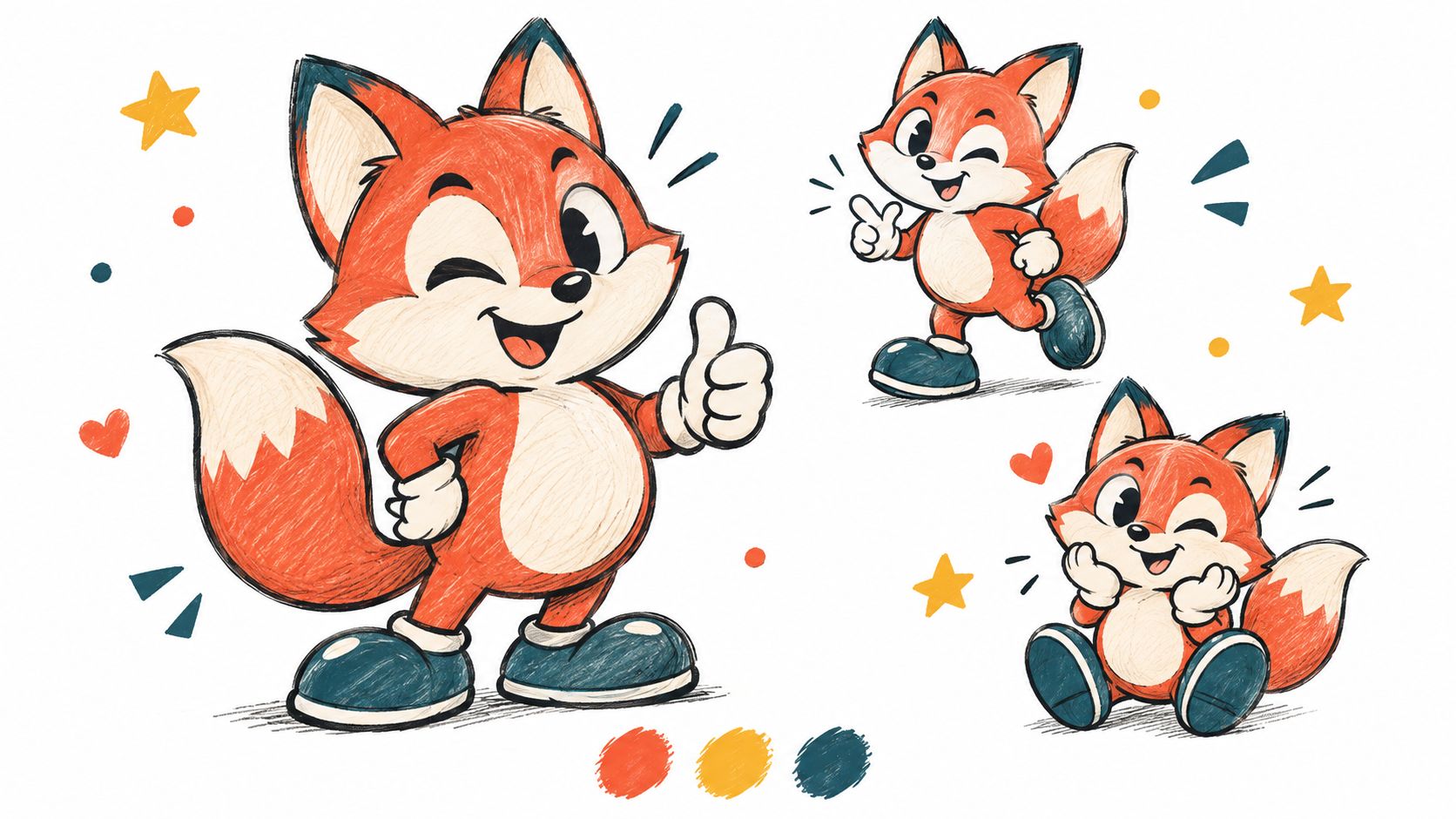
For a manageable working batch, generate four to eight images, keep the best three, and record the prompt that produced them. Change only one variable per batch.
If you change the pose, expression, and palette together, you won't know why you prefer the result. Lock the pose, expression, and rendering when comparing colors; reject generations that fail those controls.
A Purdue-hosted character-appeal thesis tested 60 animated clips from two character rigs, collecting ratings from 61 participants, and identified color palette as the strongest predictor of perceived appeal, followed by proportion. That limited experiment supports testing palette deliberately, not assuming a particular color combination will succeed everywhere.
These are starting directions to test, not universal emotional formulas:
Starting palettes by brand goal
| Goal | Starting palette | Best placement |
|---|---|---|
| Energetic kids' brand | Orange and yellow with one cool accent | Stickers and kids' covers |
| Calm wellness or journal | Blue and soft neutrals | Journal covers and wellness apps |
| High-contrast merch | Red and black | Screen-printed tees |
Name colors consistently in prompts, then save the exact approved swatches in your editable artwork. Text descriptions alone won't maintain precise production colors.
Use the character consistency guide to support a reference-led workflow, and compare candidates directly against the model sheet rather than against the previous generation.
A prettier image isn't an improvement if it depicts a different character.
If a variant narrows the face, lengthens the limbs, or changes the head-to-body relationship, discard it even if the rendering looks better. Fix a local drawing problem manually instead of accepting a redesigned mascot.
Convert the artwork to grayscale before adjusting decorative details. If the face blends into the body or background, change value contrast, spacing, or the outline rather than increasing saturation.
Then shrink the exported file. The following are practical working tests, not platform upload specifications; check the destination's current requirements separately.
Test sizes and simplification rules by format
| Format | Test at | Keep | Cut |
|---|---|---|---|
| Social avatar | 64 px square, viewed at actual size | Face, one signature color, silhouette | Fine linework, background props |
| Game avatar or token | 64 px square inside the intended token border | Head and shoulders, signature prop | Full body, small accessories |
| Book cover thumbnail | 120 px wide with the title included | Silhouette, strong title contrast | Small text inside the art, busy backgrounds |
| Printed tee | 10 cm wide, grayscale check | Two to four flat colors, bold outline | Gradients, halftones, thin hairlines |
| Sticker or enamel pin | 3 cm wide | One face and outline | Multi-part costume details |
For a clean flat-art version, reduce linework to two weights: an outer contour and lighter internal marks. Flatten gradients into two or three solid colors where possible, and delete details that vanish at the intended size.
These are simplification choices, not claims that every printing process needs flat color. A detailed full-color transfer and a spot-color screen print need different files; choose the production method before preparing separations.
A feature that vanishes at 64 px won't become useful just because the source artwork is large. Likewise, screen readability doesn't prove that a tiny scarf knot will reproduce on an enamel pin.
Make a head-and-shoulders crop for avatars and game tokens. For a wide cover layout, reserve clean title space instead of stretching the character sideways; portrait covers need their own composition.
Center the mark for tees and stickers, checking the visible design rather than the canvas bounds. An oversized prop can make a mathematically centered mascot look off-balance.
Protect the face first, the silhouette second, and the signature prop third. If you must sacrifice decorative clothing to preserve those features, remove it.
Say you're designing a calm bedtime bear for children aged 4 to 7. Its first placement is a picture book cover, with a tee planned as the second product.
The bible fixes a round head, a blue scarf as the signature prop, and a two-color core palette. Pose, expression, and lighting remain flexible, while narrow heads, pointed ears, and replacement accessories are prohibited.
Sketch 15 bears from circles and rounded squares. Keep the three that read as a bear wearing a scarf when viewed at arm's length.
Fill those finalists with solid black. Drop the version whose scarf disappears into the body, and choose the round-headed shape with a clearly separated scarf tail.
The model sheet includes front, side, and three-quarter views, plus sleeping, yawning, and waving poses. In the side view, move the scarf knot outward so it doesn't look embedded in the neck.
| Decision | Accepted choice | Rejected alternative |
|---|---|---|
| Outline | Round head with separated scarf tail | Scarf merged into torso |
| Face | Geometry matching the model sheet | Narrower, more elongated head |
| Palette | Blue and cream | Orange and yellow |
| Tee detail | Broad scarf shapes | Thin hairlines around the knot |
Generate eight images with the same pose and expression, changing only the palette. Test blue and cream against orange and yellow; for this hypothetical bedtime brand, choose blue and cream and record that approval as the permanent palette.
Discard any variant whose head is narrower than the sheet, even if its smile seems more charming. The winning image must meet the identity rules, not just look appealing beside the alternatives.
For the tee, convert the artwork to grayscale at 10 cm wide. Confirm that the face remains separate from the background, then cut the thin hairlines around the scarf and preserve the broad knot shape.
Use the guide to printing designs on shirts to connect the approved artwork to the production workflow. Order a proof before committing to stock, and inspect the actual garment rather than relying entirely on a mockup.
Finish the asset record with each prompt version, batch and image number, and manual change, including repainting the scarf knot. You now have a traceable character master and a tee-specific export, rather than a single flattened image serving every purpose.
A fast-generated character isn't automatically an asset you exclusively own. Copyright ownership and permission to use an output are separate questions, and a commercial-use license doesn't by itself make the output copyrightable.
The U.S. Copyright Office's copyrightability report states that purely AI-generated material isn't protected, while human-authored expression, creative selection and arrangement, and substantial modifications may qualify case by case. Don't treat minor cleanup or a long prompt as an automatic route to protection.
The Copyright Office's guidance for visual artists explains that protection begins when an original work is fixed in a tangible medium. Save sketches, layered files, and revisions that show your actual creative decisions; a general idea for a friendly bear isn't the same as protectable expressive artwork.
Maintain an asset log containing the date, prompt version, batch and image identifier, reference origins, and manual edits. A hypothetical entry could read: 2026-03-14 | prompt v3 | batch 2, image 4 | repainted collar and reshaped eyes.
Review outputs for recognizable third-party characters, logos, and celebrity likenesses. Verify the tool's commercial-use terms and the intended marketplace's rules before selling merchandise or publishing a book; the commercial-use rights guide can help frame that review.
Launch warning: Documentation supports your record of creation. It doesn't erase infringement or guarantee exclusive rights.
For an internal consistency test, score ten outputs from 1 to 5 on pose compliance, face, palette, and proportion. Define 4 as matching the approved rules with only minor cleanup, and require that score in every category rather than hiding a failed face behind a strong average.
Use these six go-or-no-go checks:
Build platform crops from the same approved master. If provenance fails, stop before selling: complete the record, remove questionable elements, and redo human-authored work where appropriate, seeking legal advice when rights remain uncertain.
For the next session, write the bible prompt and generate about twelve variants in controlled batches. Run the checks on the best three candidates, validate the selected character across the consistency set, and launch one product before expanding the range.
starryai offers text-to-image generation and image-based cartoon creation for exploring character concepts and controlled visual variants. Visit starryai with your character bible ready, then select a candidate to refine, test, and document before putting it on a product.


.svg)