

Written by Mo Kahn on


You've got a character in mind, maybe for a profile picture tonight, a sticker pack this weekend, or a book you're illustrating chapter by chapter. You open a chibi character maker, get something cute in two minutes, then hit the real problems. The export is too small, the pose is locked, the hairstyle is almost right, or you're not sure you can sell it at all.
That's why choosing a tool is less about finding one universal app and more about matching the workflow to the finished asset. A social avatar, an animated scene, a sticker set, and an original character concept each demand different levels of control. The style itself comes from Japan's super-deformed, or SD, tradition, where the head takes up roughly one-third to one-half of total height, compared with about seven to eight head-lengths for a conventional anime figure, as the history of the super-deformed style describes.
This guide compares 10 options across browser editors, mobile apps, games, photo converters, and AI generators, organized by production goal rather than hype. Creators who want a fast AI starting point can also explore starryai for turning text prompts, selfies, or emojis into chibi-inspired visuals. If you're making characters for a book, it also helps to find cover design programs that can carry that art into a finished cover layout.
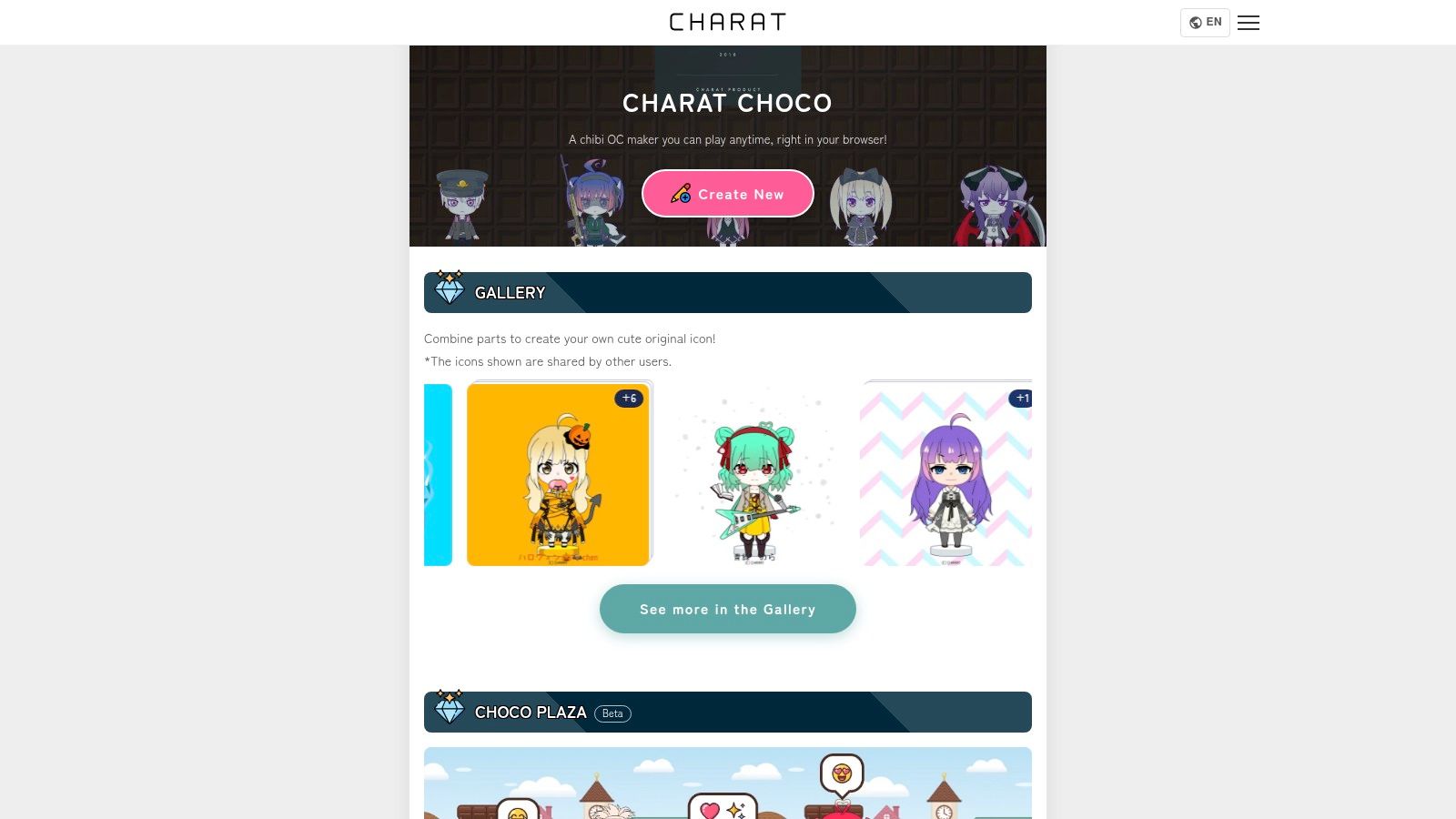
Start here if you want to assemble a character by hand without installing anything. CHARAT CHOCO runs in your browser and lets you build an original character from selectable parts, swapping hair, eyes, clothing, and accessories until the silhouette feels right. Creating is free, and there's a paid option when you need a high-resolution download.
That parts-based control is the whole point. You're not hoping a prompt interprets "side ponytail, teal jacket" correctly. You're clicking the exact pieces, which makes CHARAT CHOCO reliable for quick avatars and original-character concepts you plan to redraw later.
The trade-off is range. You'll get a clean, stylized maker image, not flexible painterly AI artwork with unusual lighting or camera angles. Before you sell anything made here, check CHARAT's current usage guidelines carefully, because permission for personal avatars doesn't automatically cover merchandise.
ChibiStudio is built for people who live on their phones and want depth without drawing. The ChibiStudio avatar creator runs on iPhone and iPad and combines a large library of hairstyles, expressions, clothes, colors, and accessories. You can export creations for profile pictures and stickers, sync characters across devices, and even set up Home Screen widgets and backgrounds.
It's free to start, with optional in-app purchases and a listed full access. Its App Store listing presents it as ad-free, which matters when you're iterating through dozens of tiny color changes. That low-friction tweaking is exactly what lightweight editors need to get right.
Research on a stylized avatar editor found users rated identity-expression coverage at 4.00 out of 5 and overall avatar satisfaction at 3.95 out of 5, while still asking for more body types, skin tones, and stylistic variety, according to the stylized avatar editor user study. Nearly half didn't want a self-resembling avatar at all, so strong fantasy options matter as much as likeness. If you're learning the fundamentals behind these choices, this guide to making chibi characters covers proportions and prompting basics.
The limits are platform and pose. There's no real desktop workflow, some packs cost extra, and fixed maker styles won't replace bespoke illustration for a book interior.
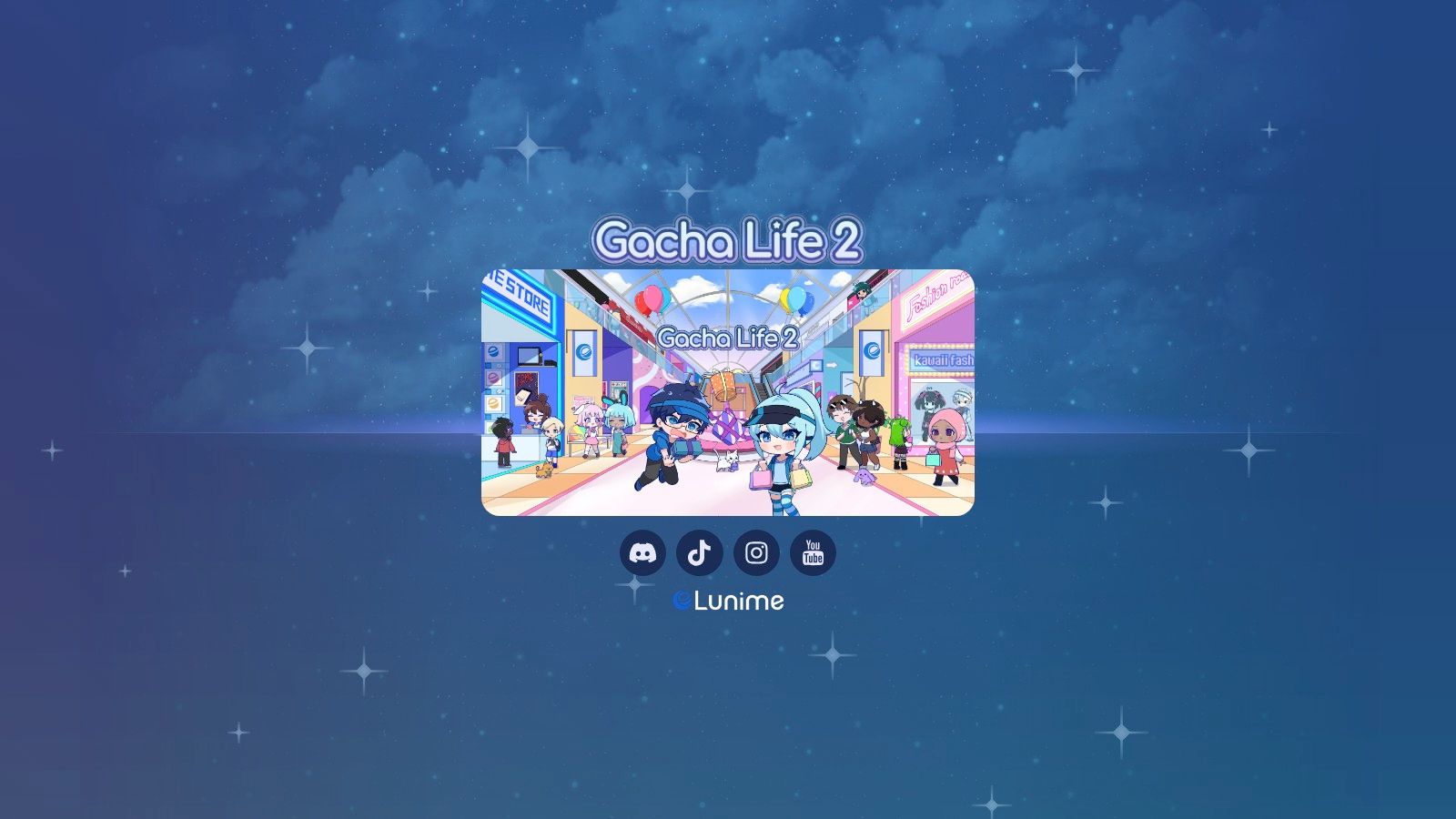
Most makers give you one character standing still. Gacha Life 2 from Lunime gives you a cast and a stage. You get extensive outfit, hair, face, and color customization, custom poses with item positioning, and a studio mode for arranging multiple characters with backgrounds and text. It's free to play.
That multi-character focus matches how people use avatars. A questionnaire study across MapleStory, World of Warcraft, and Second Life found 27.0% of participants regularly used one avatar, 31.3% used two, and 21.7% used five or more, per the avatar use questionnaire study. The same work found 64.3% described their primary avatar as human-like, and avatars often looked substantially different from the user's real appearance.
Treat it as a character and scene sandbox, not a high-resolution illustration generator. For YouTube stories, fan comics, and character lineups, that trade is worth it.
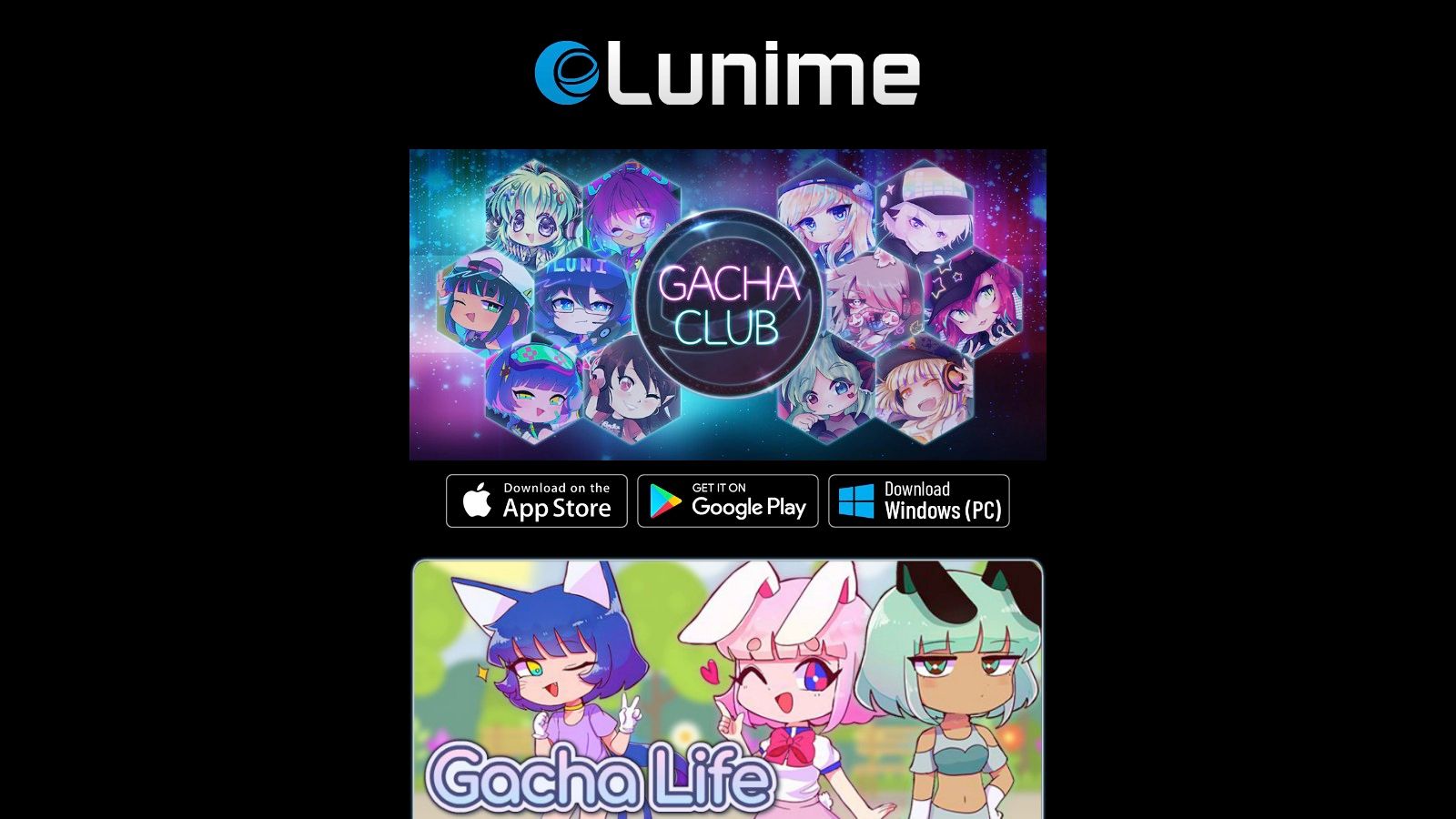
Pocket Chibi is the casual, playful sibling in Lunime's lineup. Available through Lunime's game collection, it pairs chibi avatar customization, clothes, hair, hats, and accessories, with a studio for scenes. Backgrounds, pets, props, effects, and speech bubbles let you build simple stories or social graphics in one place. It's free to download, with ads and optional in-app purchases.
The game-like workflow lowers the barrier for younger creators and anyone who finds blank-canvas editors intimidating. You dress a character, drop in a pet, add a line of dialogue, and you've got a shareable moment. That speed is useful for testing character personalities before you invest in polished art.
Practical rule: If the deliverable is a scene people read, not a file people print, a game-based maker often beats a fancier generator.
Don't stretch it beyond that job. The presentation reads as a mobile game, which won't suit polished book or merchandise artwork. Ads interrupt the flow, and scene tools can't substitute for drawing or detailed image editing when you need custom anatomy, transparent backgrounds, or print resolution.
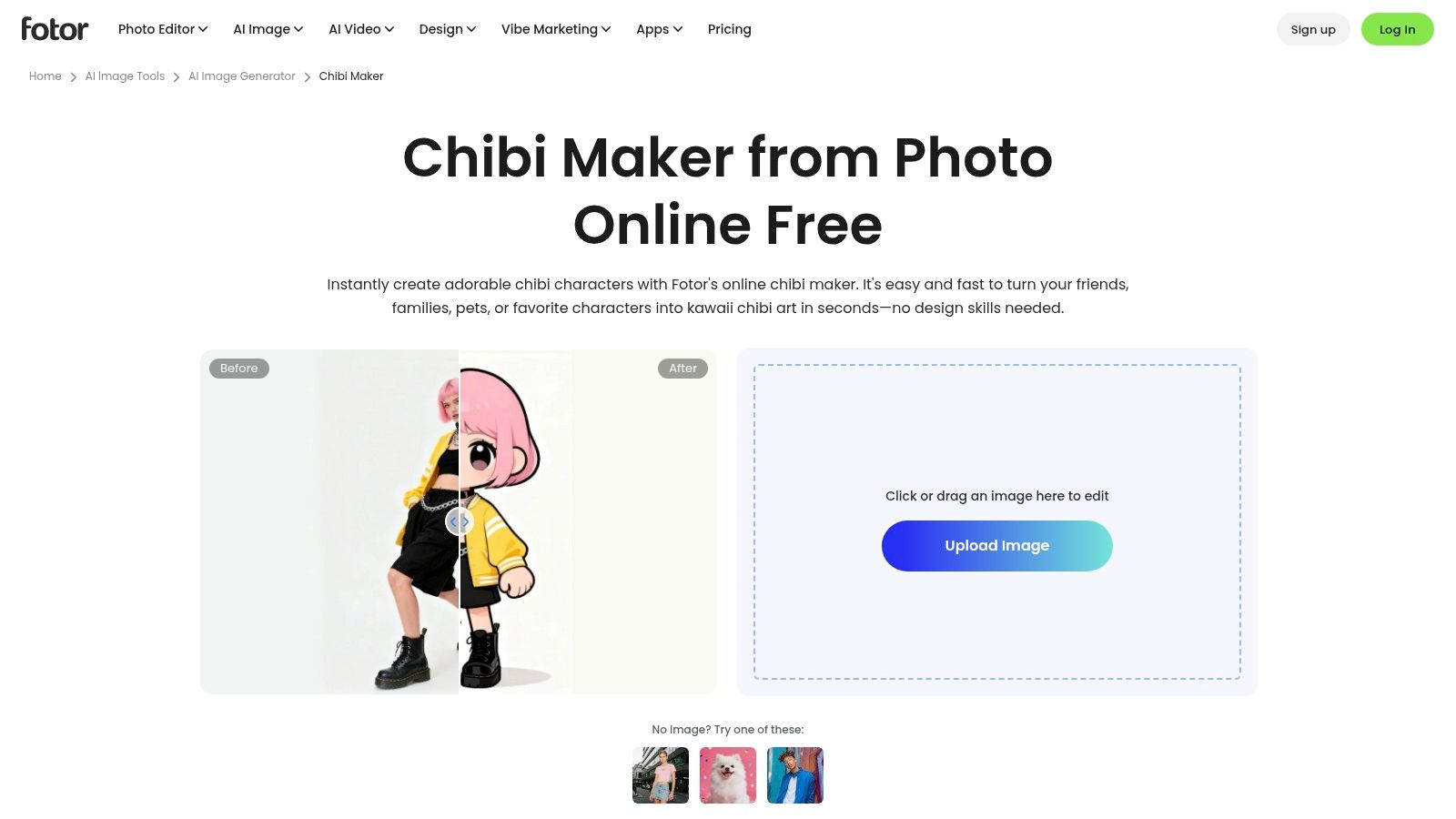
When the subject already exists, start from a photo instead of parts. Fotor's chibi maker turns an uploaded image into a chibi-style result, and it handles portraits, pets, and couples. It works in desktop and mobile browsers with a simple upload-and-generate flow. Free trial access is available, while advanced features or higher-quality exports may require payment.
The identity question is where photo-to-chibi tools succeed or fail. Chibi proportions deliberately distort likeness, so check defining traits, hair shape, glasses, facial markers, instead of expecting a literal copy, a caution that Flova's chibi maker guidance also raises. Test the result at thumbnail size and show it to someone who knows the subject. If they don't recognize the person or pet quickly, regenerate or edit rather than publishing and hoping.
You give up the precise, part-by-part control of an editor like CHARAT CHOCO. Results may need extra editing to match a specific brief, especially for consistent branding. If you want to explore prompt-built characters instead, an AI character generator for custom designs gives you a different starting point, and creators printing apparel should also review Cobra DTF software recommendations before committing artwork to transfers.
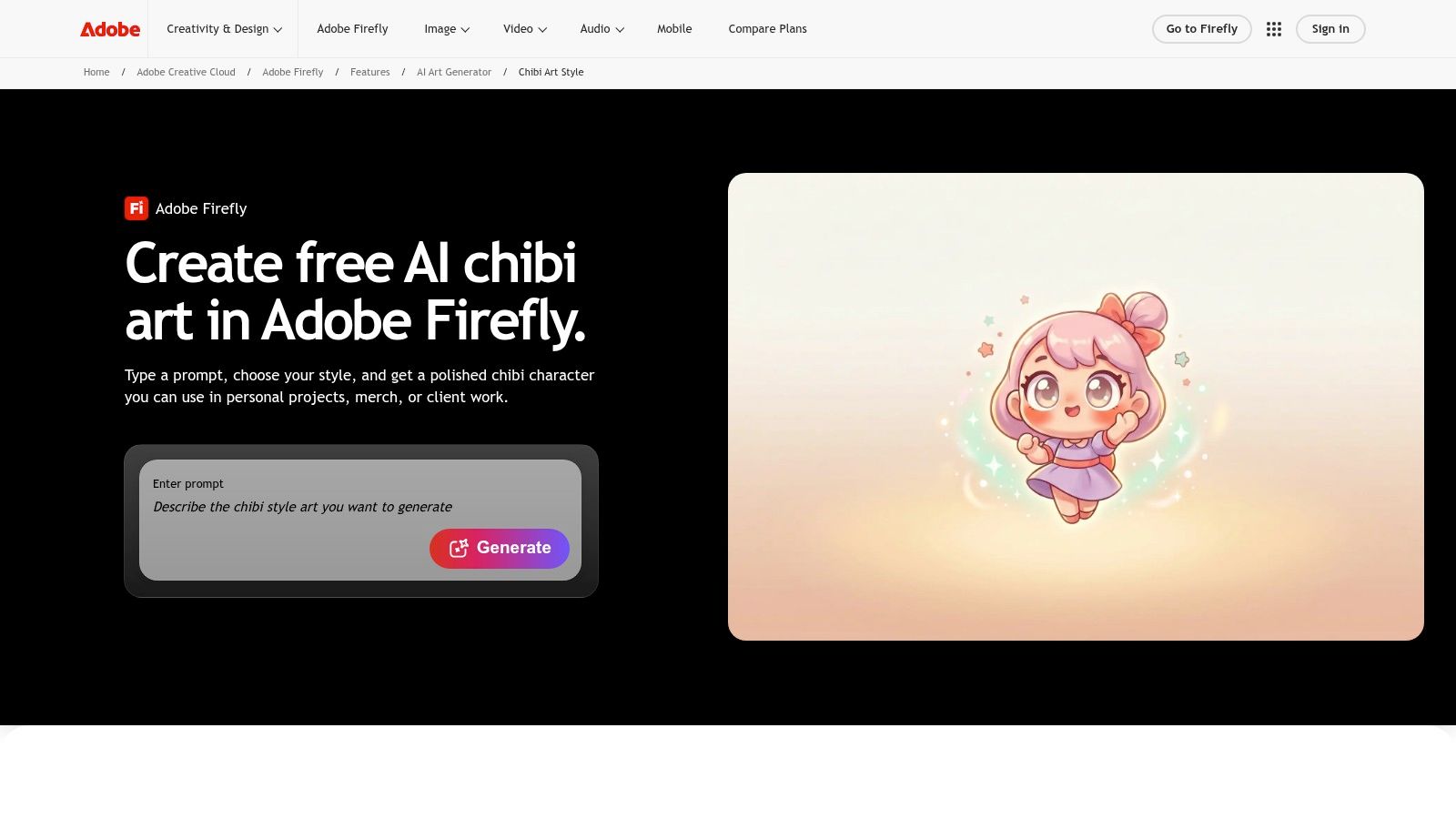
Firefly flips the workflow from selecting parts to describing outcomes. With Adobe Firefly's chibi art generator, you prompt for outfit, expression, palette, and setting, then revise text and style references to explore variations. You can export a PNG and keep editing inside Adobe's broader creative tools. Free access is limited, and paid plans use defined credit allocations.
That flexibility makes Firefly strong for original character concepts. Generate six directions for a mascot, pick the strongest silhouette, then commission or draw the final version with a clear brief. Prompting takes experimentation, though, and consistent likeness across a series usually needs repeated refinement and careful reference use.
The legal point matters here. The U.S. Copyright Office states copyright protects material created through human creativity and won't register material produced by a machine without meaningful human creative input, as set out in its guidance on AI-generated material. Prompting alone may not be enough. Substantial redesign of facial features, clothing, pose, or composition can create protectable human-authored elements, so keep your sketches and edit files if the character will become a commercial asset.
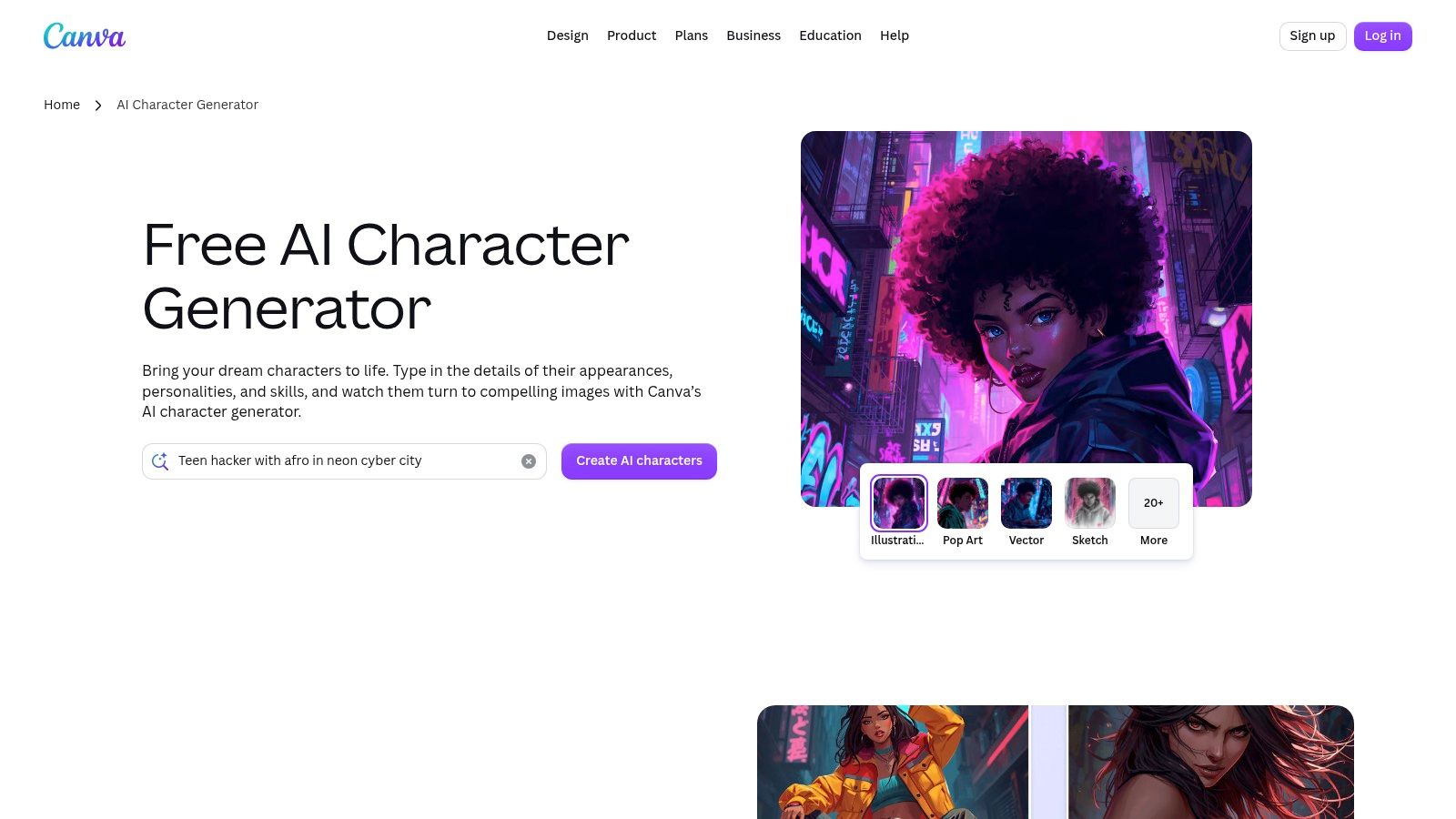
Canva makes sense when the character is only one ingredient in a finished post. The Canva AI character generator takes a text prompt, you specify chibi style in that prompt, and then you place the result directly into a social post, thumbnail, or presentation using Canva's built-in editing, layout, and sharing tools. A free account gets you started, with AI limits varying by plan.
That single-workspace flow is the advantage. Social media managers don't need to generate in one app, remove a background in another, and lay out text in a third. For a ready-to-post graphic, fewer handoffs means fewer mismatched sizes and fonts.
Canva is a general character generator, not a dedicated chibi builder, so proportions and style can drift between generations. Outputs may not be exclusive to you, and Canva doesn't guarantee clearance for every commercial use. The controlling test for protection is your human creative control over expressive elements, as the Congressional Research Service summary of Copyright Office guidance explains. Manually redrawing details, designing distinctive clothing, or compositing original material strengthens your position far more than picking a preset and downloading.
Dreamina targets the style directly instead of making you coax it from a general model. The Dreamina chibi generator offers a dedicated chibi workflow for prompt-led creation and quick visual exploration, inside a broader set of image and video tools. Advertised free credits let you get started, though availability and limits may change.
Use it for breadth. Prompt the same character concept as a witch, a barista, and a mecha pilot, compare palettes, and see which version reads best at small sizes. Because it connects to wider image and video tools, a still character can become the starting point for motion content rather than a dead-end file.
Cuter isn't automatically more recognizable. A design nobody can identify at thumbnail size won't carry a channel, a book series, or a product line, no matter how polished it looks full screen.
Predictability is the cost. Prompt results vary more than manually selected parts, so budget generations for iteration and save the prompts that work. Check current usage and licensing terms before commercial use, since credit offers and terms shift. For a dedicated mascot, plan on a cleanup pass in an editor to lock colors, fix hands, and standardize proportions across every pose you'll publish.
Picrew isn't one maker. It's a platform of artist-made image makers, and that changes everything about style and permissions. On Picrew's image maker platform, you assemble character portraits from illustrated parts, with some makers offering color and positioning controls. Styles range widely because individual creators draw each set, and many sets lean into chibi proportions even though not every maker is chibi.
For personal avatars and visual inspiration, that variety is hard to beat. You can test how your original character reads in a soft painterly style versus a flat graphic one in minutes, without drawing the base art yourself. If you want full-body designs instead of portraits, this overview of a full-body anime character creator shows what to look for.
Permissions are specific to each maker, and this is where people get into trouble. One creator may allow profile use with credit, another may ban commercial use entirely, and Picrew cautions against using a maker's image or design as the basis for a new work unless the creator clearly permits it. Read the individual maker's rules before you share, sell, or trace anything. When in doubt, treat Picrew output as personal and inspirational, then create your production art separately.
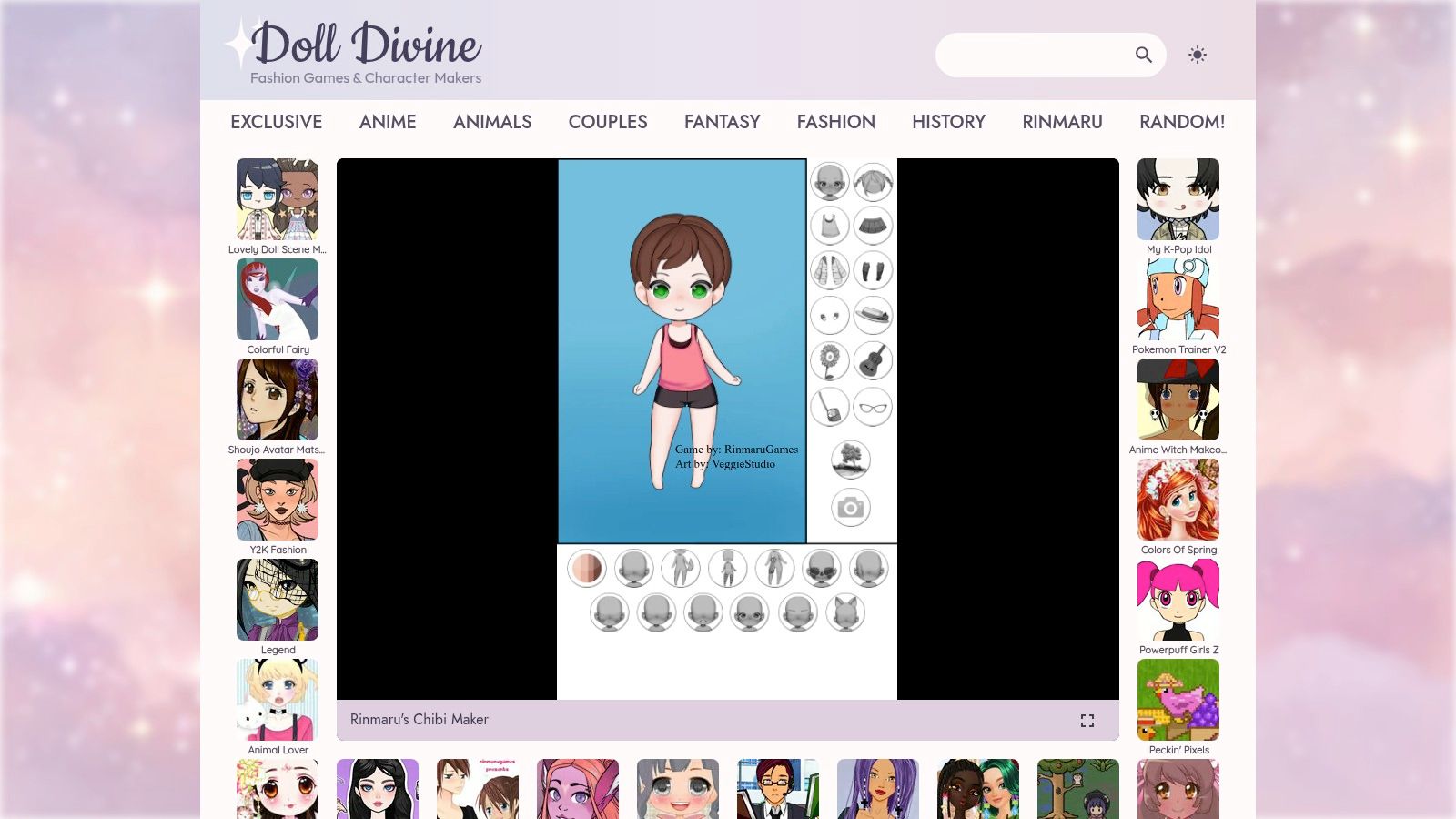
This is the old-school dress-up route, and it still earns its place. Rinmaru's Chibi Maker on Doll Divine offers detailed styling of facial features, hair, colors, clothes, and accessories, plus props and anime-style scenes for character exploration. The page is mobile-friendly and playable directly in your browser.
Fantasy accessories and scene elements make it a strong brainstorming tool for original characters. You can pressure-test a design quickly. Does the character still read as a healer without the staff? Does the color palette hold up when you swap the outfit? Those answers come faster by clicking than by sketching every variation.
For character exploration and fun, it's effective. For a production asset, treat the export as a reference sheet and rebuild the final art at proper resolution.
| Tool | Creation Style & Features | ★ Experience / Output | 👥 Best For | 💰 Pricing | ✨ Standout Point |
|---|---|---|---|---|---|
| CHARAT CHOCO | Browser-based, parts-selected chibi maker | ★ Hands-on avatar customization | Quick avatars and character concepts | Free creation; paid high-resolution download | 🏆 No app installation needed |
| ChibiStudio | iOS chibi creator with extensive items, colors, and export options | ★ Detailed customization; 4.7/5 App Store rating reported | iPhone and iPad users making avatars or stickers | Free to start; optional purchases; $14.99 full unlock listed | ✨ Device syncing and Home Screen widgets |
| Gacha Life 2 | Anime character editor with poses and multi-character studio | ★ Rich customization and scene creation | Character development and staged scenes | Free | 🏆 Up to 300 character slots |
| Pocket Chibi | Mobile dress-up creator with scenes, props, pets, and speech bubbles | ★ Playful, game-like scene building | Casual character stories and social graphics | Free with ads and optional purchases | ✨ Combines avatars with story scenes |
| Fotor Chibi Maker | Upload a photo to generate a chibi image | ★ Simple, quick photo transformation | Portrait, pet, and couple avatars | Free trial; some features or exports may require payment | ✨ Works in desktop and mobile browsers |
| Adobe Firefly | Prompt-based chibi generation with style references | ★ Flexible concept exploration; likeness may need refinement | Creators using Adobe tools | Limited free access; paid plans use credits | ✨ PNG export and Adobe workflow integration |
| Canva AI Character Generator | Prompt-based generation with built-in design editor | ★ Convenient for ready-to-post layouts | Social posts, thumbnails, and simple designs | Free account; AI limits vary by plan | 🏆 Generation and layout editing in one workspace |
| Dreamina Chibi Generator | Dedicated prompt-based chibi workflow | ★ Fast style and character exploration | Users exploring chibi ideas or broader image/video workflows | Free credits advertised; limits may vary | ✨ Part of a wider image and video toolset |
| Picrew | Platform of artist-made, parts-based image makers | ★ Wide range of creator-defined styles | Personal avatars and visual inspiration | Varies by maker | ✨ Each maker offers a distinct art style |
| Rinmaru's Chibi Maker on Doll Divine | Browser-based dress-up editor with props and scenes | ★ Detailed manual styling | Anime-inspired character brainstorming | Playable online; check usage guidance | ✨ Facial, color, clothing, and accessory controls |
Choose by deliverable, not by which homepage looks cutest. Pick a parts-based editor like CHARAT CHOCO, ChibiStudio, Picrew, or Rinmaru's maker when consistency and deliberate customization matter. Pick a scene-making game like Gacha Life 2 or Pocket Chibi when characters need to interact, speak, and tell small stories. Pick a photo converter like Fotor when the subject is already decided, and pick an AI generator like Firefly, Canva, or Dreamina when rapid visual exploration is the priority.
The commercial stakes justify that care. Japan's character business, covering merchandising and licensing, was estimated at approximately 2.697 trillion yen in fiscal year 2023, up 2.2% from the previous fiscal year, according to Yano Research's character business report. Simplified designs travel well onto stickers, apparel, stationery, and digital goods, which is why a chibi character maker can work as an early-stage development tool for sellers and authors, not just a toy.
Before you export, run four checks. Confirm the resolution fits your print or platform size. Confirm device compatibility and generation limits won't strand the project halfway. Test recognizability at thumbnail size, across poses, and with the skin tone, hair texture, body shape, and cultural or disability details your character needs. Then read the commercial-use terms for your exact output type and tier.
That last check is where generic FAQs fail people. Rights can differ by output type, subscription tier, model, and whether you're selling merchandise, digital files, or client work, and some services allow commercial use while prohibiting resale of the unmodified image, as DeepAI's chibi generator terms discussion illustrates. Permission to use an image isn't the same as exclusive ownership of it. Document your prompts and edits, avoid recognizable copyrighted characters, and check whether your selected model carries separate terms.
Documentation has a specific legal function too. When AI-generated material is more than de minimis, it must be disclosed in a U.S. copyright application with an explanation of the human author's contribution, per the Federal Register summary of Copyright Office guidance. Preserve sketches, edit layers, and compositing files. If you sell on Etsy, you're responsible for holding the necessary rights and for disclosing AI involvement where required, as Etsy's intellectual property policy makes clear. Trademark and likeness checks are still on you.
For creators who want a quick prompt-led or selfie-based option, starryai can provide a lightweight starting point for chibi-inspired visuals. The best workflow, though, is the one that supports the final asset, the sticker sheet, book character, avatar set, or campaign graphic, rather than producing the most striking first result. Build the character your project needs, verify the export and the rights, and you'll save yourself the rebuild later.
Ready to test a character idea right now? With starryai, you can turn a text prompt, a selfie, or even an emoji into a chibi-inspired visual in seconds, then refine the direction for avatars, stickers, book characters, or social posts. Start with one character, check how it reads at thumbnail size, and build your set from there.


.svg)